Production-Ready Laravel Docker Environment (Windows/Mac/Linux) – Step-by-Step Guide
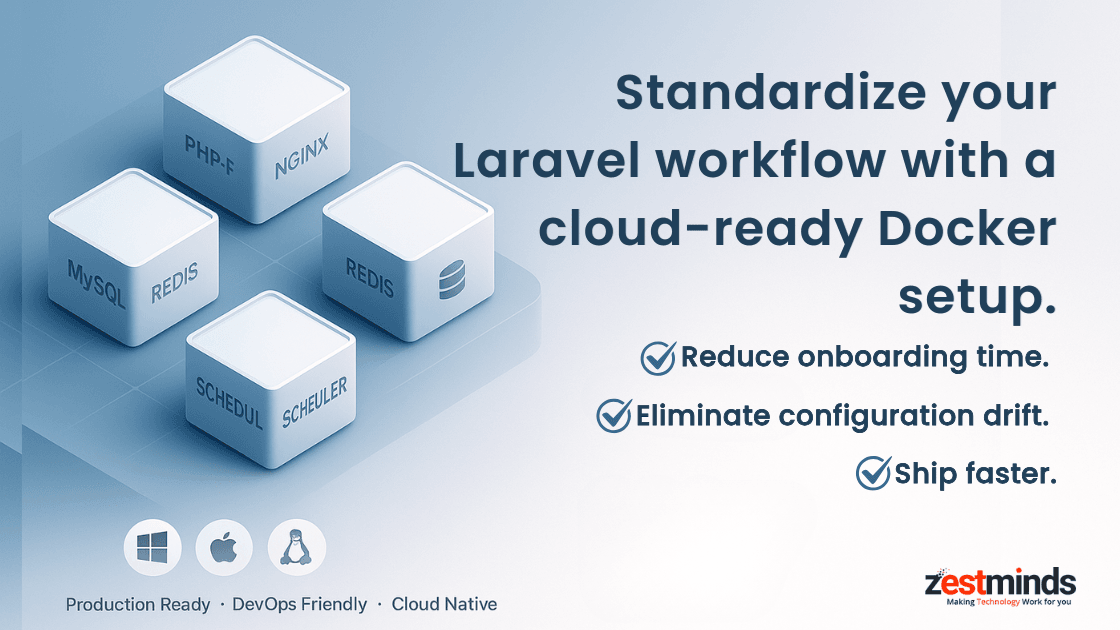
A production-ready Laravel Docker environment ensures your entire team runs the same stack on Windows, macOS, and Linux, eliminating "it works on my machine" issues for good. By containerizing PHP-FPM, Nginx, MySQL/Postgres, Redis, queues, and schedulers, you get predictable builds, smoother deployments, and faster onboarding. This guide shows senior developers how to create a scalable, cloud-ready Docker setup with real-world lessons from high-scale Laravel systems.

Creating a reliable Laravel development environment has always been harder than it sounds. Different PHP versions, inconsistent Nginx setups, mismatched database drivers—every developer ends up with their own flavor of "local setup." And when something breaks, the default answer is:
"But… it works on my machine."
Docker changed this forever.
Still, not every Laravel Docker tutorial prepares you for real-world engineering. Many examples stop at a basic Dockerfile or rely solely on Sail, useful for small projects but not enough when you're running CI/CD pipelines, onboarding multi-OS teams, or deploying cloud-native SaaS platforms.
This guide is designed for senior developers, tech leads, and CTO-level evaluators who want a standardized, scalable, cross-platform Laravel Docker environment ready for 2025’s expectations across Windows, macOS, Linux, and WSL2.
A production-ready Laravel Docker environment is a containerized setup where Laravel, PHP-FPM, Nginx, database, cache, queues, and schedulers run as portable, consistent services across every machine.
With that in place, let’s understand why Docker is now the default for serious Laravel teams.
Why Laravel + Docker Is Essential in 2025 (And When You Shouldn’t Use It)
Docker is no longer optional. Modern cloud platforms, DevOps pipelines, and AI-driven development workflows all rely on standardized, containerized environments.
But the biggest operational benefit is simple:
Consistency across every machine, OS, and developer.
When your entire application stack is packaged into containers, you eliminate environment drift, onboard new developers instantly, and prevent OS-specific issues long before they appear.
The Real Villain: "It Works on My Machine" Bugs
You’ve seen this dozens of times:
- Developer A is on PHP 8.3, Developer B is on PHP 8.1
- Nginx setups differ across laptops
- Windows (especially WSL2) behaves differently from macOS
- Node, Composer, and extensions drift over time
- Local caching and permission differences break features unpredictably
These tiny inconsistencies create hours of wasted debugging.
Docker fixes this by defining:
- PHP-FPM version
- OS packages and system extensions
- Nginx configuration
- MySQL/Postgres version
- Redis version
- Queue workers
- Scheduler containers
- Networking rules
- Volumes and storage structure
Windows, Mac, Linux, even WSL2, run the same Laravel Docker environment.
That consistency alone saves engineering teams hundreds of hours each year.
When Docker Isn’t Needed
Docker is powerful, but not always essential.
Skip Docker for:
- Small hobby apps
- Quick prototypes
- Training exercises
- Very low-power machines
- Fast proof-of-concept scripts
But if your team has more than 2 developers—or plans to deploy to staging or production—Docker is the safest path forward.
Visual Explainer: How Docker Standardizes Laravel
Imagine three developers:
- A uses Windows
- B uses macOS
- C uses Linux
Without Docker, each has a unique environment. With Docker:
+------------------------------+
|  docker-compose.yml          |
|  - php-fpm (php:8.3)         |
|  - nginx                     |
|  - mysql:8                   |
|  - redis                     |
|  - queue worker              |
+------------------------------+
         ↓ same stack
    on every machine
No custom PHP installations. No OS-specific issues. No setup differences.
Docker becomes the universal runtime for your Laravel environment.
Architecture Overview – Laravel + Docker on Windows, macOS, Linux & WSL2
A real enterprise Laravel system goes beyond "app + DB." It follows a service-oriented architecture built for scaling, observability, and repeatable deployments.
A modern Laravel Docker setup typically includes:
- PHP-FPM container — Application runtime
- Nginx container — Web server
- MySQL/Postgres — Primary DB
- Redis — Cache + queue backend
- Queue worker — Background job processor
- Scheduler — Cron equivalent
- MailHog/Mailpit — Safe email previews
- Node build container — Vite / Webpack builds
- Optional: Meilisearch, Elasticsearch, S3 emulators, localstack, etc.
This mirrors how real SaaS, marketplaces, and enterprise backends run on AWS ECS, Google Cloud Run, Kubernetes, and DigitalOcean.
High-Level Container Architecture (Visual)
        ┌──────────────────────┐
        │      NGINX           │
        │   (HTTP traffic)     │
        └──────────┬───────────┘
                   │
                   ▼
        ┌──────────────────────┐
        │      PHP-FPM         │
        │   Laravel runtime    │
        └──────────┬───────────┘
                   │
     ┌─────────────┴───────────────┐
     │                             │
     ▼                             ▼
┌────────────┐               ┌────────────────┐
│  DATABASE  │               │     REDIS      │
└────────────┘               └────────────────┘

Additional:

* Queue Worker
* Scheduler
* Mailhog / Mailpit
* Node build container
This architecture is nearly identical to the environments used at Zestminds for high-scale SaaS and AI-powered applications.
Laravel Sail vs Custom Docker Compose
Laravel Sail is great for:
- Quick onboarding
- Small teams
- Prototypes and early MVPs
But it falls short for production-level engineering because Sail doesn’t support:
- Multi-stage builds
- Production-grade Nginx configs
- Dedicated worker and scheduler containers
- Image slimming
- Environment-specific Dockerfiles
- Observability and logging hooks
- CI/CD pipeline integration
- Infrastructure-as-code alignment
At Zestminds (an AI-first, cloud-native Laravel partner), we often start with Sail during early development, then transition to a custom Docker environment before scaling to staging or production.
Want to see this in practice?
https://www.zestminds.com/laravel-crm-case-study/
Trusted External References
- Docker – Laravel Development Setup
https://docs.docker.com/guides/frameworks/laravel/development-setup/ - Laravel Sail Documentation
https://laravel.com/docs/12.x/sail - AWS Containers Overview
https://aws.amazon.com/containers/
Step-by-Step: Building a Production-Ready Laravel Docker Environment
Below is the exact structure used across Windows, macOS, Linux, and WSL2.
Step 1 — Create a Clean, Scalable Folder Structure
/docker
   /php
      Dockerfile
   /nginx
      default.conf
   /scheduler
      Dockerfile
   /worker
      Dockerfile
docker-compose.yml
This aligns with DevOps best practices and makes CI/CD pipelines simpler.
Step 2 — Build a Production-Ready PHP-FPM Image (Multi-Stage)
# Stage 1 - Build
FROM php:8.3-fpm AS build

RUN apt-get update && apt-get install -y
git curl zip unzip libzip-dev libpq-dev
&& docker-php-ext-install pdo_mysql zip

COPY . /var/www/html
WORKDIR /var/www/html

RUN curl -sS [https://getcomposer.org/installer](https://getcomposer.org/installer) | php
&& php composer.phar install --no-dev --optimize-autoloader

# Stage 2 - Production

FROM php:8.3-fpm-alpine

COPY --from=build /var/www/html /var/www/html
WORKDIR /var/www/html

CMD ["php-fpm"]
In one sentence:
Multi-stage builds give you a smaller, faster, more secure production image—without unnecessary build tools.
Step 3 — Configure Nginx for Laravel
server {
    listen 80;
    server_name localhost;

```
root /var/www/html/public;

index index.php;

location / {
    try_files $uri $uri/ /index.php?$query_string;
}

location ~ \.php$ {
    fastcgi_pass app:9000;
    include fastcgi_params;
    fastcgi_param SCRIPT_FILENAME $realpath_root$fastcgi_script_name;
}
```

}
Step 4 — docker-compose.yml (Your System Blueprint)
version: "3.8"
services:
  app:
    build:
      context: .
      dockerfile: docker/php/Dockerfile
    volumes:
      - .:/var/www/html
    networks:
      - laravel

web:
image: nginx:alpine
ports:
- "8000:80"
volumes:
- .:/var/www/html
- ./docker/nginx/default.conf:/etc/nginx/conf.d/default.conf
depends_on:
- app
networks:
- laravel

mysql:
image: mysql:8
environment:
MYSQL_DATABASE: laravel
MYSQL_ROOT_PASSWORD: secret
ports:
- "3307:3306"
volumes:
- mysql_data:/var/lib/mysql
networks:
- laravel

redis:
image: redis:alpine
networks:
- laravel

worker:
build:
context: .
dockerfile: docker/worker/Dockerfile
command: php artisan queue:work
depends_on:
- app
networks:
- laravel

networks:
laravel:
volumes:
mysql_data:
Why senior engineers love this setup
- Modular
- Cloud-friendly
- Easy to scale
- Works across Windows, macOS, Linux, WSL2
- Supports CI/CD pipelines effortlessly
Step 5 — Start & Validate Your Environment
docker compose up -d
Open:
http://localhost:8000
Then validate:
docker compose exec app php -v
docker compose exec app php artisan --version
docker compose exec app php artisan migrate
If all three work → your Laravel Docker environment is solid.
Step 6 — Fix Common Permission Issues (macOS + Linux)
sudo chown -R $USER:$USER .
chmod -R 775 storage bootstrap/cache
Pro teams often add a helper script like:
./fix-permissions.sh
Developer Workflow – Debugging, Testing & Team Onboarding
Docker improves daily developer experience dramatically.
Artisan Commands Inside Containers
docker compose exec app php artisan migrate
Senior dev shortcut:
alias art="docker compose exec app php artisan"
Daily commands become:
art migrate
art test
art queue:restart
Running Tests with Pest/PHPUnit
docker compose exec app ./vendor/bin/pest
Identical environment → consistent results → fewer surprises.
Running the Scheduler
CMD ["php", "artisan", "schedule:work"]
Keeps scheduled jobs reliable and containerized.
Scaling Queue Workers
docker compose up --scale worker=5 -d
Great for email-heavy apps, AI processing jobs, report generators, or webhook systems.
Setting Up Xdebug
pecl install xdebug
docker-php-ext-enable xdebug
Configuration:
xdebug.mode=debug
xdebug.client_host=host.docker.internal
Works across macOS, Windows, Linux, and WSL2.
Developer Workflow – Key Takeaways
- Use containerized Artisan commands
- Keep tests running inside the app container
- Scale workers independently
- Debugging is consistent across all OS environments
Hardening for Production – Security, Performance & CI/CD
This is where production-readiness really matters.
Multi-Stage Builds (Must-Have)
Your final production image should not include:
- Composer
- Git
- Node
- Build tools
Cleaner image = better security, faster deploys.
Image Slimming Strategy
- Use Alpine images
- Remove build caches
- Minimize dependencies
- Keep image size lean for faster CI/CD pipelines
Never Ship .env Files
Use:
- AWS Secrets Manager
- GCP Secret Manager
- Docker Swarm Secrets
- Kubernetes Secrets
This is a critical DevSecOps rule.
CI/CD Flow – Visual Overview
Developer Pushes Code →
CI Builds Docker Image →
Image Pushed to Registry →
CD Pulls Image to Server →
Zero-Downtime Container Restart
Want a real example?
See how we implemented this in a SaaS CRM at Zestminds:
https://www.zestminds.com/laravel-crm-case-study/
Hardening – Key Takeaways
- Multi-stage builds = secure + lean
- Externalize secrets
- Align Docker with CI/CD pipelines
- Keep containers modular and scalable
Common Pitfalls & Troubleshooting
Database Not Connecting
Fix:
DB_HOST=mysql
DB_PORT=3306
Storage Permissions Failing
chmod -R ug+rw storage bootstrap/cache
Containers Not Rebuilding
docker compose build --no-cache
WSL2 Networking Issues
wsl --shutdown
docker compose up -d
Real-World Case Study – Docker at Scale
In one of our multi-tenant SaaS CRM platforms (Zestminds Laravel CRM Case Study) we supported:
- 10+ developers
- Multiple staging tiers
- Heavy queues (email, AI reports, webhooks)
- Frequent deployments via CI/CD
- Containerized workers & schedulers
- Independent scaling of API vs workers
We’ve used the same Dockerized Laravel architecture in multiple production systems, including the 1337 Institute of Technologies platform, where predictable environments were essential for scaling engineering workflows.
Before Docker → unpredictable behavior, onboarding delays, unexpected failures.
After Docker → stable deployments, 99% fewer environment issues, faster development velocity.
We’ve also implemented similar setups for AI-driven Laravel applications where background workers processed ML tasks and containerized scaling reduced operational costs significantly.
Checkout the Production-Ready Laravel Docker Checklist
Inside this guide:
- Essential Dockerfile optimizations
- Recommended container services for Laravel
- Security + DevOps best practices
- CI/CD-ready architecture blueprint
- Production scaling recommendations
For backend teams scaling APIs, combining Docker with the principles from our Laravel API Best Practices 2025 guide ensures consistent deployments and predictable performance across cloud environments.
On a 30-minute architecture review call, we’ll:
- Review your current Laravel Docker setup
- Identify risks around deployments, scaling, and architecture
- Recommend a tailored roadmap for your team
- Share best practices used in our large-scale Laravel projects
If you’d like a second set of eyes on your environment, our team at Zestminds can assess your Laravel + Docker setup and suggest practical improvements.
If you're building an MVP or early-stage product, a clean Docker workflow dramatically reduces onboarding time. Learn how we structure early builds on our MVP development page.
FAQs: Production-Ready Laravel Docker Environment
1. What is the main advantage of using Docker for Laravel development?
A Dockerized Laravel environment ensures every developer runs the same stack, eliminating OS differences, PHP version mismatches, and “works on my machine” issues.
2. Can this Docker setup run consistently on Windows, macOS, Linux, and WSL2?
Yes. The configuration is designed to behave identically across all major operating systems, ensuring cross-platform consistency for teams.
3. Is Docker better than using Valet, WAMP, or XAMPP for Laravel projects?
For professional teams, Docker is far superior because it replicates production environments and supports CI/CD, multi-container workflows, and scalable infrastructure.
4. Do I need Docker for small Laravel projects or MVPs?
No, but it is strongly recommended if more than one developer is involved or if you plan to deploy using modern DevOps pipelines.
5. How do I run Laravel queue workers inside Docker?
You can run workers using a dedicated container with php artisan queue:work, allowing independent scaling without affecting the main app container.
6. How does Docker improve CI/CD pipelines for Laravel?
Docker ensures reproducible builds, faster pipelines, immutable deployments, and zero-downtime rollouts through containerized images.
7. Can I use Docker for Laravel testing environments?
Yes. Running tests inside containers ensures consistent dependencies, predictable behavior, and accurate results across machines and CI platforms.
8. How do I optimize a Laravel Docker image for production?
Use multi-stage builds, Alpine images, externalized secrets, cache-busting strategies, and remove unnecessary build tools from the final image.
Table of Contents
- Why Laravel + Docker Is Essential in 2025 (And When You Shouldn’t Use It)
- Architecture Overview – Laravel + Docker on Windows, macOS, Linux & WSL2
- Step-by-Step: Building a Production-Ready Laravel Docker Environment
- Developer Workflow – Debugging, Testing & Team Onboarding
- Hardening for Production – Security, Performance & CI/CD
- Common Pitfalls & Troubleshooting
- Real-World Case Study – Docker at Scale
- FAQs: Production-Ready Laravel Docker Environment
Rajat Sharma
About the Author
With over 8 years of experience in software development, I am an Experienced Software Engineer with a demonstrated history of working in the information technology and services industry. Skilled in Python (Programming Language), PHP, jQuery, Ruby on Rails, and CakePHP.. I lead a team of skilled engineers, helping businesses streamline processes, optimize performance, and achieve growth through scalable web and mobile applications, AI integration, and automation.
Stay Ahead with Expert Insights & Trends
Explore industry trends, expert analysis, and actionable strategies to drive success in AI, software development, and digital transformation.