
How We Migrated 14+ Years of TallyPrime Accounting Data to Odoo Enterprise and Connected Two Live Odoo Community Systems
A UAE-based leather goods manufacturer and repair business was running daily sales, purchasing and inventory operations through two separate Odoo Community systems while its accounting team maintained the financial books in TallyPrime. Because the systems were disconnected, accounting data had to be entered again manually.
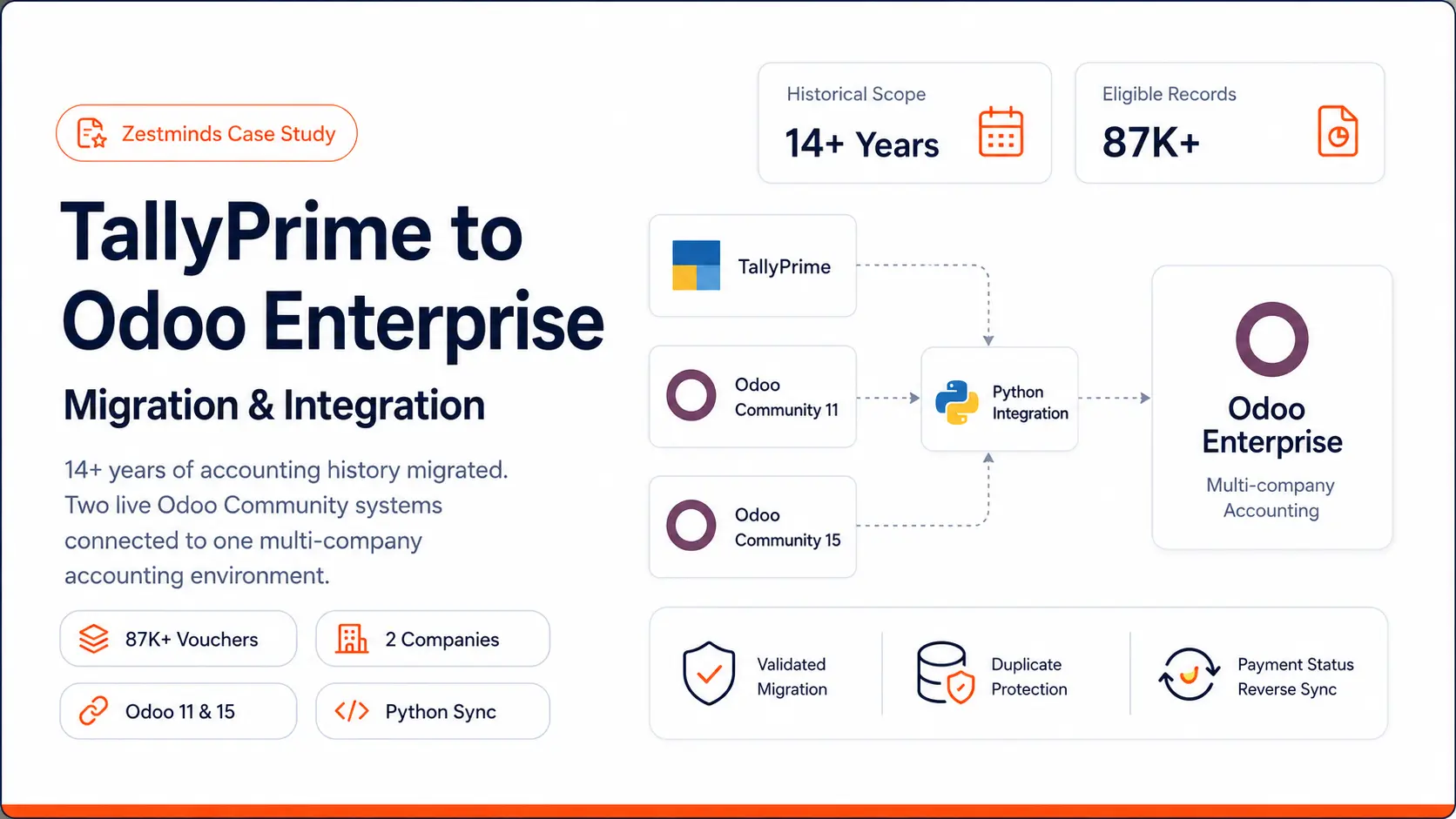
Zestminds migrated and validated 87,408 eligible historical vouchers, established a multi-company Odoo Enterprise accounting environment and built a Python integration service that keeps the two operational Odoo Community systems connected to Enterprise. The completed project replaced repeated data entry with a traceable, monitored and restart-safe accounting workflow.
Executive Summary
The client already depended on Odoo Community to run important operational workflows. One company used Odoo Community 15, while the other continued on Odoo Community 11. The accounting team, however, maintained financial records separately in TallyPrime. Every handoff between operations and accounting created another manual step, another opportunity for inconsistency and another reconciliation burden.
The business wanted to adopt Odoo Enterprise Accounting without discarding working operational systems or losing historical financial records. This required more than a one-time database import. The engagement combined historical data migration, accounting transformation, multi-company configuration, API integration, continuous synchronization, selected reverse synchronization and formal validation.
The final solution demonstrates the kind of system-level work covered by our Odoo integration services: understanding the operational source of truth, protecting accounting integrity and designing integration logic that can continue running after the initial migration is complete.
The objective was not simply to move accounting records. It was to replace repeated manual entry with an accounting architecture that the operations and finance teams could trust.
Client Context
The client is a UAE-based business that manufactures, sells and repairs leather products such as bags, jackets and related goods. Its operations span two legal entities with separate historical systems and accounting records.
Each entity had its own Odoo Community installation. These systems remained important because they already supported active sales, purchase and inventory workflows. The finance team worked in TallyPrime 4.1, creating a split operating model in which operational activity began in Odoo but accounting had to be maintained separately.
The new target environment was a single Odoo Online Enterprise Custom database with two companies, UAE accounting configuration and AED as the operating currency. Consolidating accounting into one Enterprise environment would improve financial visibility, but the transition could not interrupt the systems used by the business every day.
The Business Challenge
The most visible problem was manual re-entry. Invoices, bills, payment information and related accounting data generated through operational workflows had to be recreated or updated in TallyPrime. This increased administrative effort and made timely reconciliation more difficult.
The deeper problem was fragmented ownership of business data. Odoo held operational records, TallyPrime held accounting history, and the two companies used different Odoo versions and data structures. A reliable ERP integration had to account for historical differences, version-specific schemas, multi-company separation, accounting rules and the fact that all three source systems still mattered during the transition.
The project therefore had to solve several connected requirements:
- Migrate more than 14 years of accounting history from TallyPrime.
- Clean inconsistent legacy records before they reached Enterprise.
- Preserve source references for traceability and reconciliation.
- Keep records from the two companies strictly separated.
- Support Odoo Community 11 and Odoo Community 15 despite their schema differences.
- Keep the existing operational Odoo systems running.
- Synchronize new accounting activity automatically.
- Prevent duplicate records during retries, restarts and repeated synchronization.
- Return selected accounting statuses to the operational systems where required.
- Validate the resulting Odoo reports against the accounting source.
Why a Simple Import Was Not Enough
TallyPrime and Odoo do not represent every accounting concept in the same way. Partners, ledgers, journals, tax structures, invoice references, stock values and voucher types required controlled mapping. The two companies also differed in their source data: one included richer product and inventory information, while the other relied more heavily on ledger-based transactions and separately handled stock values.
A bulk import without cleaning and validation could have created duplicate partners, incorrect journal entries, unmapped taxes, unreliable reports or records assigned to the wrong company. The migration therefore followed a staged migration and refactoring approach designed around business continuity and accounting verification.
Solution Architecture
Zestminds created an independent Python-based migration and integration service rather than embedding all logic inside one Odoo installation. This kept source-specific extraction, transformation, mapping, validation and monitoring concerns separate from the operational systems.
The resulting architecture:
- TallyPrime 4.1: Historical master and transaction data extracted primarily through XML.
- Odoo Community 15: Operational source for the first business entity, accessed through XML-RPC.
- Odoo Community 11: Operational source for the second entity, also accessed through XML-RPC with version-specific compatibility logic.
- Python integration service: Source adapters, transformation rules, mappings, duplicate checks, checkpoints, logs and synchronization control.
- Odoo Enterprise SaaS 19.4: Multi-company accounting destination accessed through Odoo's JSON-2 API.
The implementation combined Python backend engineering with a controlled API integration architecture. The service could understand records from different source versions, translate them into the Enterprise model and retain the source-to-target relationships needed for future updates.
Historical Migration Process
The migration was executed as a sequence of controlled stages. Each stage produced its own mappings, diagnostic output and validation evidence before records were committed to the live Enterprise environment.
1. Source Discovery and Scope Definition
The team first identified the systems, companies, accounting periods, voucher types, master data and report expectations. The Trading history covered January 2012 through the April 2026 migration cut-off. The Solutions history covered January 2013 through April 2026.
The source scope was divided into eligible, excluded and exceptional records. Cancelled records, future-dated entries and unsafe or incomplete records were not silently pushed into Enterprise.
2. TallyPrime Extraction
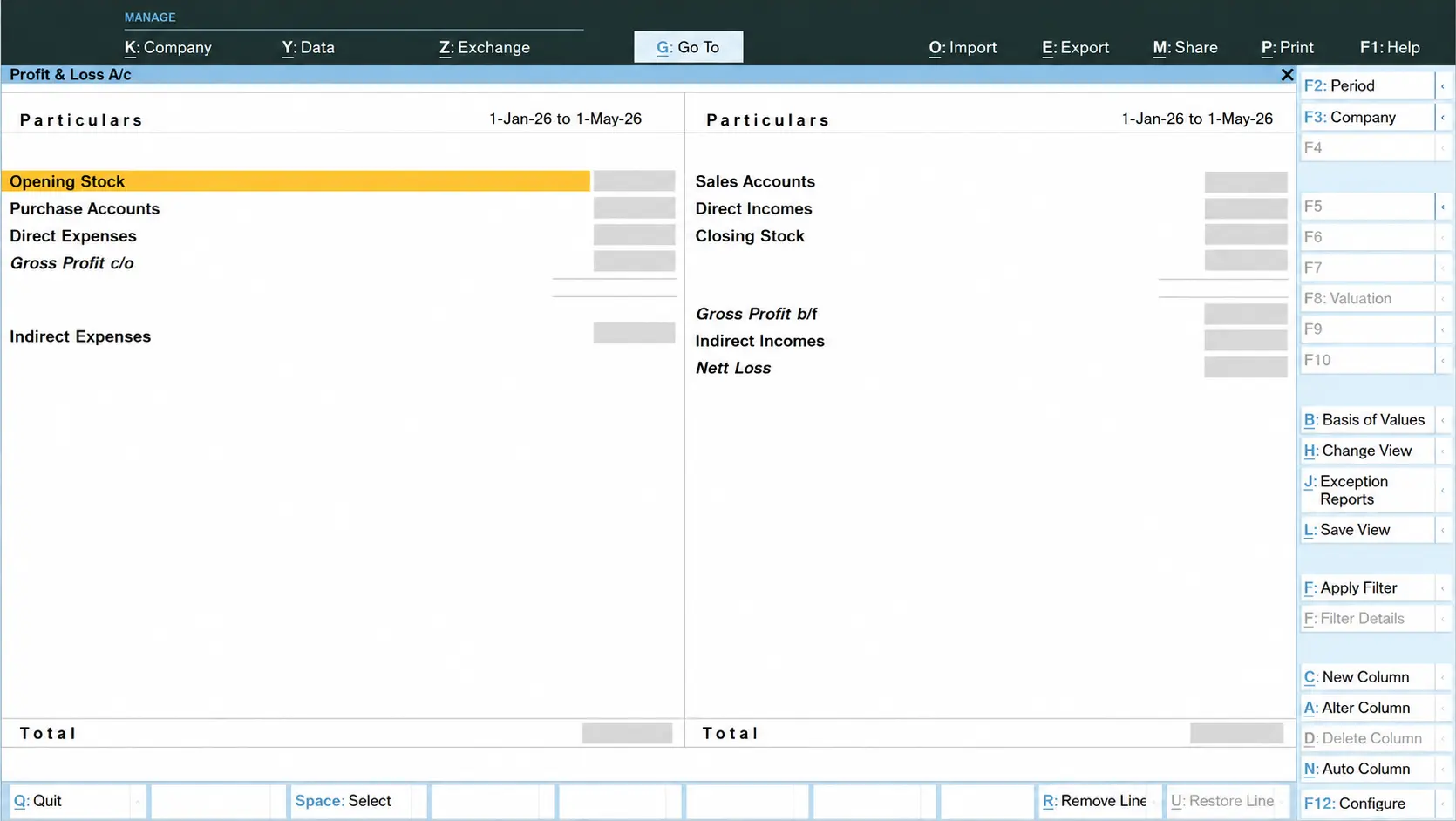
The restored TallyPrime backup was used to export master data and accounting transactions as XML. Additional XML exports supported stock and report-level validation, including Stock Summary, Inventory Movements and Profit and Loss information.
The migration included:
- Chart of accounts and ledgers
- Customers and vendors
- Products where source data was available
- Sales invoices and vendor bills
- Credit notes and debit notes
- Receipts, payments, journals and contra entries
- VAT and tax information
- Bank and cash accounting
- Bill references and historical transaction references
- Relevant inventory and stock-reporting data
3. Mapping and Dry Runs
Before live creation, the service classified ledgers and mapped Tally accounts to Odoo accounts, journals and taxes. Customer and vendor candidates were matched using normalized identities and controlled rules. Dry runs exposed unresolved mappings and exceptional records without writing unsafe data to Enterprise.
4. Controlled Import
Eligible records were processed in controlled batches. The service retained Tally GUIDs and original invoice or voucher references wherever possible, making it easier to trace an Enterprise record back to its accounting source. Company-specific mappings ensured that records from one legal entity could not be attached to the other.
5. Post-Import Audit
After creation, read-only audit scripts compared source counts, target counts, debit and credit totals, references, duplicates and report behavior. Exceptions remained visible for review instead of being hidden inside a successful import count.
Data Cleaning and Transformation
Historical accounting data rarely arrives in a uniform, import-ready state. The project uncovered issues accumulated across different years, user practices and system structures.
The most important legacy-data problems included:
- Malformed XML characters and invalid numeric references
- Duplicate or nearly identical customer and vendor names
- Ambiguous account, journal, partner and tax mappings
- Missing supplier or customer invoice references
- Cancelled and future-dated vouchers
- Incomplete or separately maintained stock information
- B2C invoice gaps
- Incorrect invoice or accounting dates in specific historical groups
- Differences between legacy VAT structures and the Enterprise configuration
- Cases where genuine existing Enterprise records had to be distinguished from migration-created records
Python transformation tools sanitized the XML, normalized names, validated dates and values, classified ledgers, resolved master-data matches and produced structured exception reports. The objective was not to make questionable records disappear. It was to automate safe decisions and make unsafe decisions visible to the implementation and accounting teams.
Attachments such as scanned invoices and invoice PDFs were outside the agreed migration scope. This boundary was documented so the final record count represented the accounting migration accurately.
Live Synchronization and Controlled Reverse Sync
Completing the historical migration solved only the first half of the problem. The client continued using Odoo Community for active operations, so Enterprise Accounting needed a dependable flow for new and updated operational transactions.
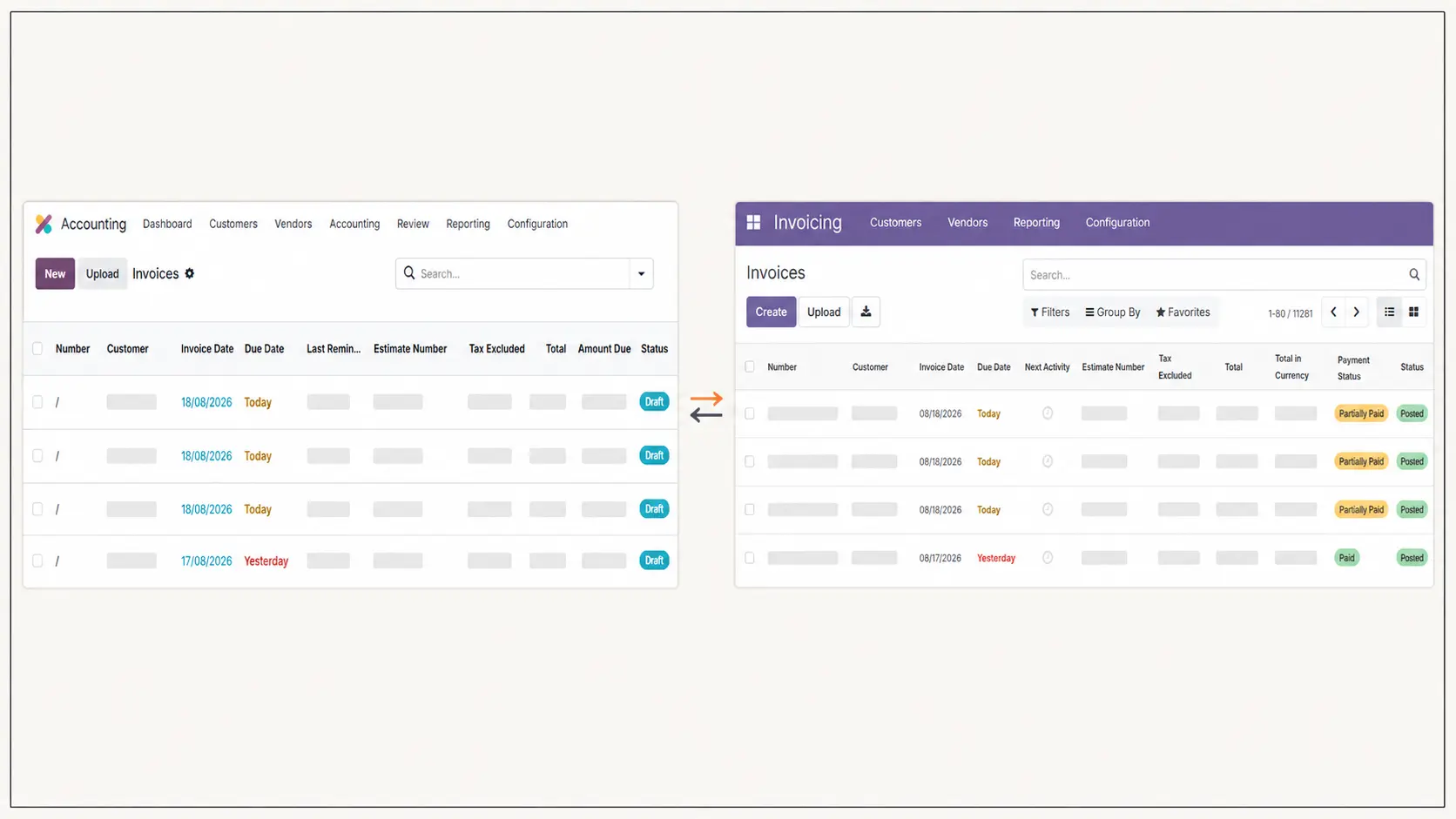
The production accounting listener runs at a 20-second interval. It retrieves eligible records, applies company and version-specific mappings, checks whether the source record has already been handled and then creates or updates the corresponding Enterprise record.
The primary direction remains from Odoo Community to Odoo Enterprise. This supports the division of responsibility in which the older systems continue handling operational sales, purchase and inventory activity while Enterprise becomes the accounting environment.
Controlled Reverse Synchronization
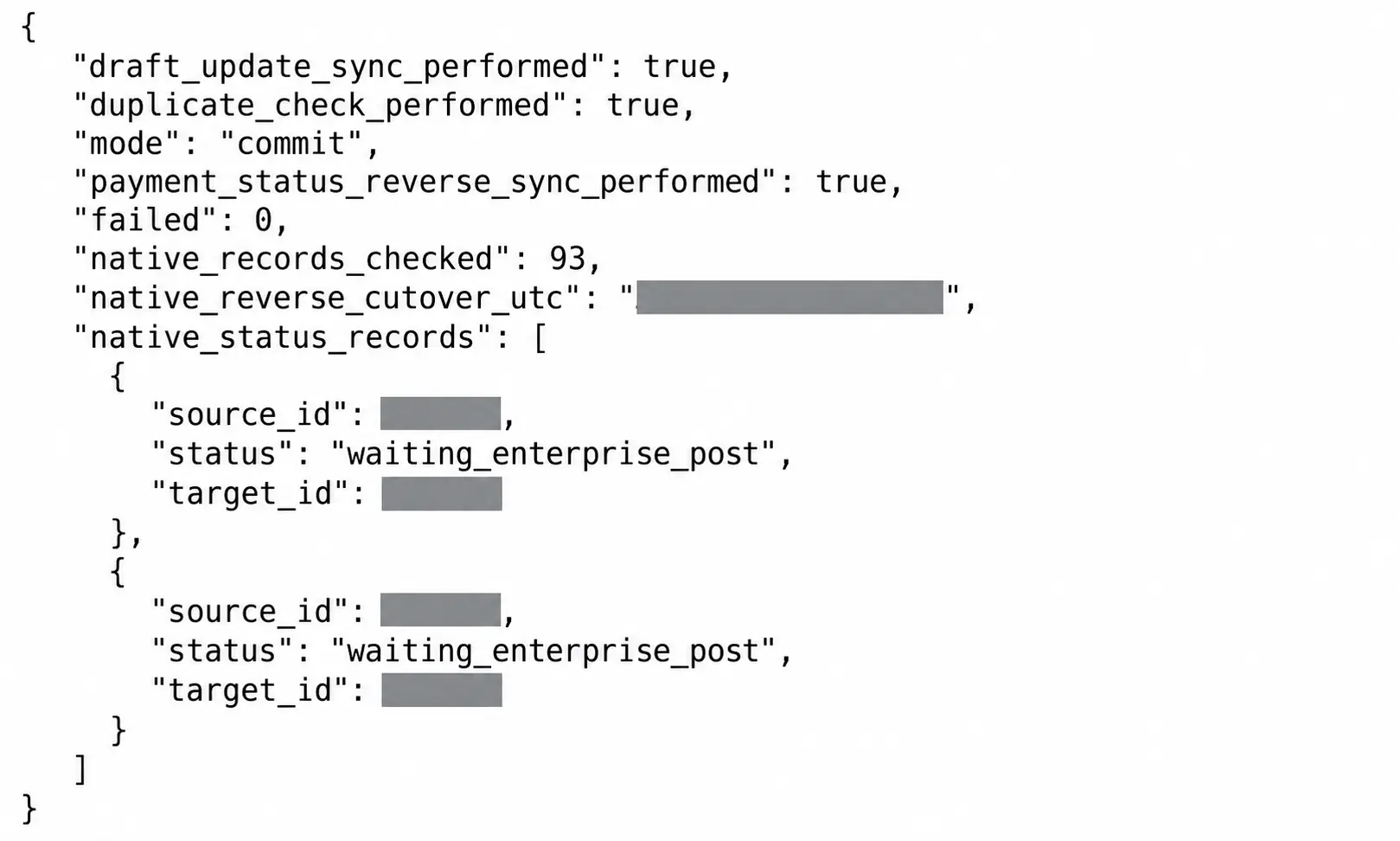
Selected information also needs to return from Enterprise to the operational source. Controlled reverse-sync logic was implemented for payment-status updates and selected draft-update scenarios. These processes use the permanent source-to-target relationship rather than relying on names or loosely matched references.
Reverse synchronization is deliberately limited to approved fields and workflows. Additional reverse-sync processes can be added as business rules are confirmed, without turning the integration into uncontrolled two-way replication.
Reliability and Duplicate Protection
Repeated jobs, server restarts and partial failures are normal considerations in a long-running integration. The solution was therefore designed to be restart-safe and idempotent instead of assuming that every execution would run once under perfect conditions.
The service performed the following controls:
- Stable source references for Community records and Tally vouchers
- Source-to-target mapping between Community and Enterprise record IDs
- Company-specific mapping stores
- Duplicate checks before record creation
- Checkpointed processing cursors
- Validation before and after writes
- Diagnostic logs and exception reports
- Health checks for the production listener
- Restart-safe continuation from the last verified checkpoint
- Controlled commit commands instead of unrestricted writes
If an Enterprise record already existed for a given source key, the integration reused or updated the mapped record rather than creating another invoice, bill, partner or accounting entry. This same relationship allowed approved status changes to return to the correct Community record.
Rollback Safety
Source backups, untouched XML exports, versioned scripts, dry-run output, migration markers and checkpoints formed the recovery foundation. Rollback rules were intentionally strict: only records proven to have been created or changed by the migration service could be removed or reverted. Genuine historical or production records were protected from broad cleanup operations.
Accounting Validation and Acceptance
Technical completion was not defined by an API returning a successful response. The migration had to produce accounting records and reports that could be reconciled against TallyPrime and accepted by the client and accounting team.
Validation covered:
- Source voucher counts and eligible or excluded counts
- Tally GUIDs and original references
- Transaction and ledger-line counts
- Debit and credit balance checks
- Amounts, dates and accounting periods
- Partner, account, journal and tax mappings
- Duplicate markers and source-to-target relationships
- Invoice and vendor-bill references
- Trial Balance, Profit and Loss and General Ledger behavior
- VAT, opening balance, closing stock and reporting behavior
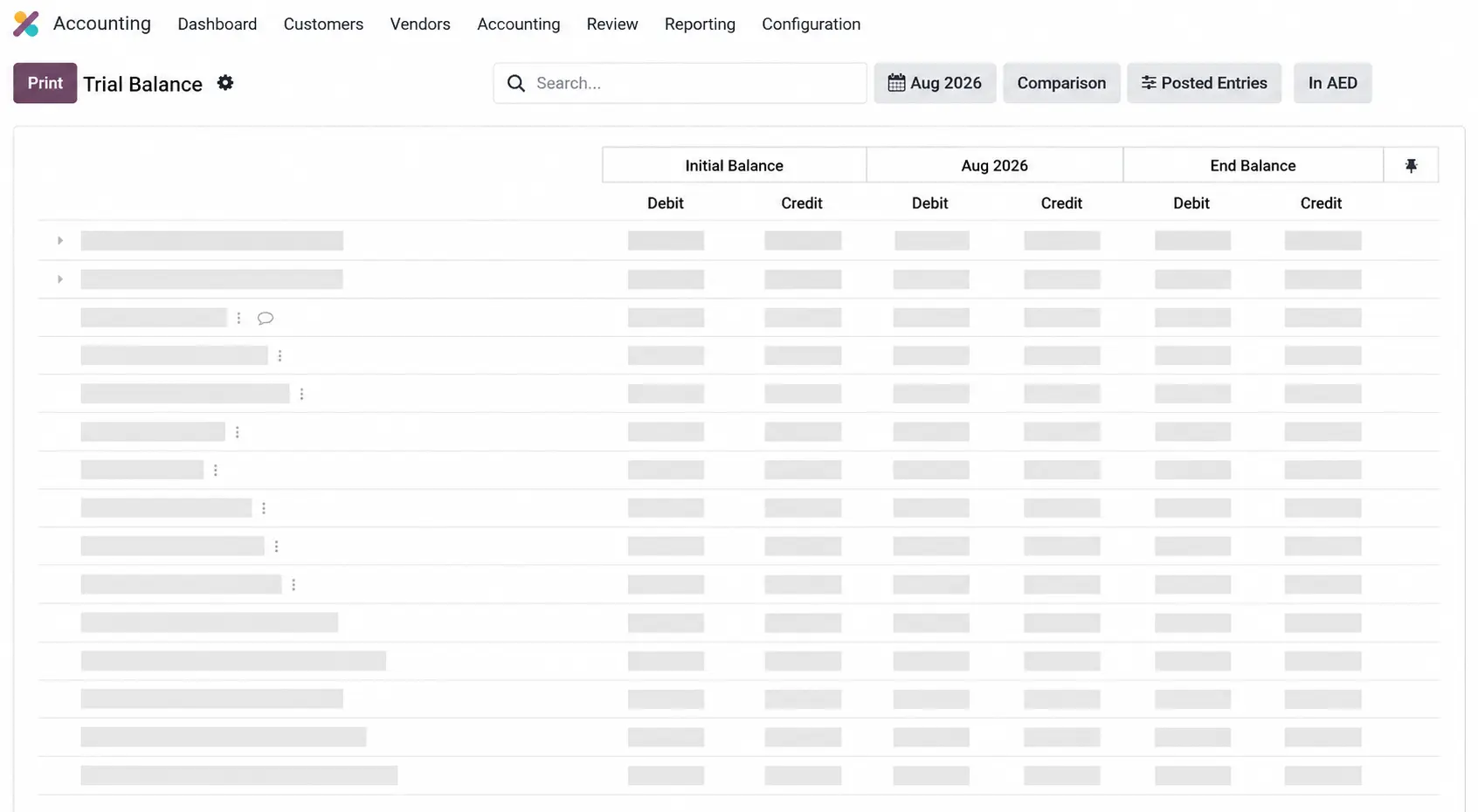
The Odoo Trial Balance was also aligned to the required six-column presentation: Initial Debit and Credit, Period Debit and Credit, and Ending Debit and Credit. Report-level review helped uncover issues that record counts alone could not reveal, including date mismatches, missing references and stock-reporting differences.
Confirmed Migration Scope
- Trading company: 60,606 source vouchers analyzed and 59,459 eligible vouchers migrated and validated
- Solutions company: 27,949 eligible vouchers and 79,157 eligible ledger lines migrated and validated
- Combined validated total: 87,408 eligible historical vouchers
The migration and validation process completed with client and accountant acceptance. Within the confirmed eligible scope, no accounting records were lost.
Results and Business Impact
More Than 14 Years of Accounting History Preserved
The completed Enterprise environment contains the validated historical accounting scope for both companies, with source references retained wherever possible. Finance users can work from the new accounting platform without abandoning the history required for reconciliation and reporting.
87,408 Eligible Vouchers Migrated and Validated
The service processed the historical voucher scope through repeatable migration logic instead of requiring the accounting team to recreate tens of thousands of transactions manually.
Manual Accounting Re-entry Removed from the Ongoing Workflow
New eligible operational transactions can flow from Community into Enterprise through the production listener. This reduces repeated entry and gives the accounting team a more timely view of invoices, bills and related statuses.
Two Operational Systems Connected to One Accounting Environment
Odoo Community 11 and Odoo Community 15 remain operational, but their accounting data is mapped into one multi-company Enterprise database. Version differences are handled inside the integration layer rather than pushed onto business users.
Traceability Improved
Tally GUIDs, Community source keys, Enterprise IDs, mappings, checkpoints and diagnostic logs provide a chain of evidence from the source record to the accounting destination.
Business Continuity Protected
The work used read-only audits, dry runs, controlled batches and live-system checks. The business did not need a major full-system shutdown or an immediate replacement of the operational tools that were already working.
The commercial outcome: the client moved from disconnected operational and accounting systems toward one integrated accounting workflow while protecting historical data, live operations and future extensibility.
Technical Lessons From the Project
Migration and Integration Must Be Designed Together
A clean historical migration is not enough if tomorrow's transactions return to manual entry. The historical import and the production synchronization layer must share identifiers, mappings and accounting rules.
Source-of-Truth Decisions Come Before API Calls
The integration became reliable only after ownership was defined: operational activity originates in Community, accounting is maintained in Enterprise, and selected accounting statuses can return through controlled reverse sync.
Accounting Validation Cannot Stop at Record Counts
A database can contain the expected number of records and still produce incorrect financial reports. Trial Balance, Profit and Loss, ledger behavior, VAT, references, periods and stock treatment all required separate review.
Idempotency Is a Business Requirement
Duplicate protection is not merely a technical refinement when invoices and payments are involved. Stable source keys, mapping stores and checkpoints protect accounting integrity during retries and restarts.
Controlled Coexistence Can Be Safer Than Immediate Replacement
The client did not need to abandon both operational systems on the day Enterprise Accounting went live. A carefully governed integration created a phased path that protected daily work while modernizing the accounting layer.
To see how we approach other complex software and automation engagements, explore more case studies.
Frequently Asked Questions
Can TallyPrime accounting data be migrated to Odoo Enterprise?
Yes, but a reliable migration requires more than exporting and importing files. Tally ledgers, vouchers, partners, journals, taxes, references, stock information and accounting periods must be mapped to the Odoo data model. Dry runs and accounting report validation are essential before acceptance.
Can older Odoo Community systems remain live after moving accounting to Enterprise?
Yes. In this project, Odoo Community 11 and Odoo Community 15 continued supporting operational workflows while Odoo Enterprise became the accounting environment. A dedicated integration service synchronized approved records between them.
How were duplicate invoices and accounting records prevented?
Every synchronized record carried a stable source reference. Before creating a target record, the service checked the source-to-target mapping and Enterprise data. Existing matches were reused or updated, and checkpoints prevented completed records from being processed as new work after a restart.
Was the synchronization one-way or two-way?
The main data flow was from Odoo Community to Odoo Enterprise. Controlled reverse synchronization was implemented for approved processes such as payment-status updates and selected draft updates. It was not designed as unrestricted two-way replication.
Did the migration require business downtime?
No major full-system downtime was required. The team used source backups, read-only audits, dry runs, controlled batches, checkpoints and live-system verification while the operational systems continued running.
How was the migrated accounting data validated?
Validation compared source and target counts, GUIDs, references, line totals, debit and credit balances, dates, duplicates and accounting reports. The client and accounting team also reviewed Trial Balance, Profit and Loss, General Ledger, VAT, invoice references and stock-related reporting before acceptance.
Planning a TallyPrime Migration or Odoo Integration?
If your team is manually copying invoices, payments, inventory or accounting information between Odoo, TallyPrime or other business systems, we can help you assess the data, integration risks and safest implementation path.
Table of contents:
- Executive summary
- Client context
- The business challenge
- Solution architecture
- Historical migration process
- Data cleaning and transformation
- Live synchronization and controlled reverse sync
- Reliability and duplicate protection
- Accounting validation and acceptance
- Results and business impact
- Technical lessons from the project
- Frequently asked questions
Before You Scale Further, Review the Architecture.
Let’s evaluate where your system stands — and where it may break under growth.
Schedule an Architecture Review 30-minute technical discussion. No obligation.