
PHP Security Best Practices 2026: Checklist & Audit Guide
PHP still powers a large part of the web, including business websites, SaaS platforms, CRMs, ecommerce systems, portals, and internal tools. But when a PHP application is not secured properly, small issues like weak session handling, unsafe file uploads, exposed errors, or outdated dependencies can become serious business risks.
This PHP security checklist is written for CTOs, technical founders, engineering managers, tech leads, and developers who need a practical way to review production PHP, Laravel, or legacy PHP applications. It covers common vulnerabilities, secure coding practices, audit steps, useful tools, and clear checks you can apply before your next release.

Why PHP Security Still Matters in 2026
PHP security is not just about writing a few safe database queries. A production application usually has login flows, admin panels, uploaded files, third-party packages, APIs, background jobs, server configuration, and user data moving through different parts of the system.
That means security has to be reviewed across the full application, not only inside one file or one controller. A secure PHP application needs safe input handling, proper output escaping, strong authentication, protected sessions, strict file upload rules, updated dependencies, careful error handling, and regular review of risky code paths.
For teams maintaining business-critical applications, security is also connected to release quality, compliance readiness, customer trust, and long-term maintainability. If your PHP system has grown over several years, a structured review can help identify what needs to be fixed now and what should be improved during future refactoring or modernization.
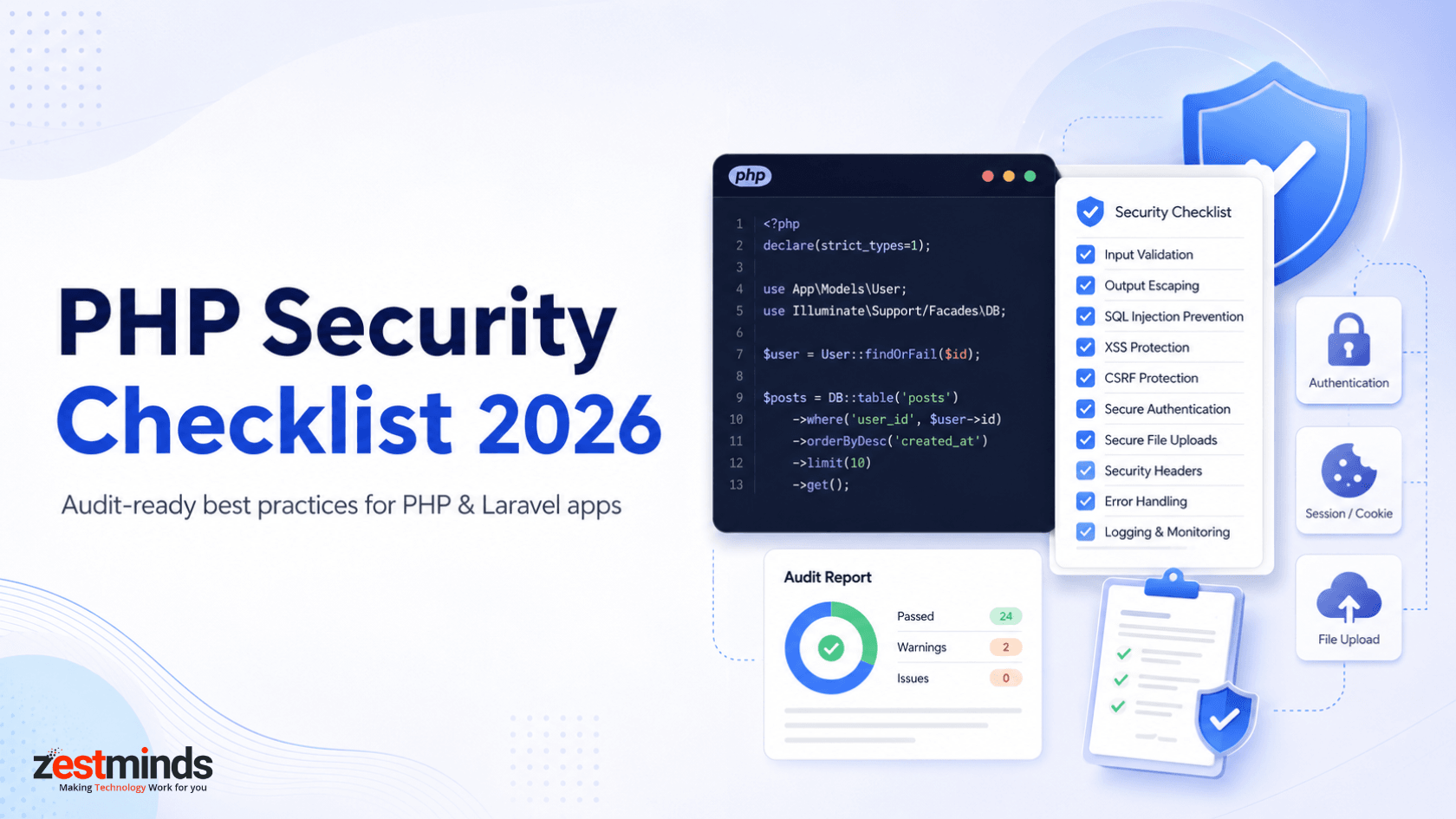
Quick PHP Security Checklist for 2026
Use this checklist as a practical starting point before reviewing a PHP or Laravel application:
- Validate input: Check user input on the server side, not only in the browser.
- Use prepared statements: Use PDO prepared statements or MySQLi prepared statements for database queries.
- Escape output: Escape content before rendering it in HTML, JavaScript, attributes, or URLs.
- Protect forms: Add CSRF tokens to forms and important state-changing requests.
- Secure sessions: Use secure, HttpOnly, and SameSite cookies with proper session expiry.
- Hash passwords safely: Use password_hash() with bcrypt or Argon2id instead of weak hashes like MD5 or SHA1.
- Control file uploads: Validate file type, size, name, storage path, and execution permissions.
- Configure security headers: Use CSP, HSTS, X-Frame-Options, X-Content-Type-Options, Referrer-Policy, and Permissions-Policy where suitable.
- Audit dependencies: Review Composer packages and remove abandoned or vulnerable libraries.
- Hide sensitive errors: Disable detailed error output in production and log errors safely.
- Limit permissions: Use least-privilege access for files, folders, databases, and server users.
- Review admin panels: Protect dashboards with strong authentication, role-based access, rate limits, and audit logs.
- Scan before releases: Add static analysis, dependency checks, and security review steps into your release process.
Practical note: A checklist is useful only when it leads to action. For production apps, document each risk, assign severity, decide ownership, and plan remediation instead of treating security as a one-time review.
Top PHP Vulnerabilities and How to Mitigate Them
Most PHP security issues are not mysterious. They usually come from repeated gaps in input handling, output rendering, authentication, session management, file uploads, dependency usage, or server configuration.
1. SQL Injection
SQL injection happens when user input is directly added to a database query. It can expose, modify, or delete sensitive data. Even old tricks like adding unsafe conditions to a query can still work when input is not handled properly.
How to mitigate SQL injection in PHP:
- Use prepared statements with PDO or MySQLi.
- Never concatenate raw user input directly into SQL queries.
- Validate incoming data before using it in business logic.
- Use least-privilege database users in production.
- Be careful with raw queries, even inside frameworks.
$stmt = $pdo->prepare('SELECT * FROM users WHERE email = :email');
$stmt->execute(['email' => $email]);
$user = $stmt->fetch();
Prepared statements separate the SQL structure from the user-provided value. That makes it much harder for attackers to change the meaning of the query.
2. Cross-Site Scripting
Cross-site scripting, or XSS, allows attackers to inject malicious scripts into pages viewed by other users. This can lead to stolen session data, fake forms, account actions, or unwanted redirects.
How to reduce XSS risk:
- Escape output before rendering it in the browser.
- Use context-aware escaping for HTML, attributes, JavaScript, and URLs.
- Use template engines with auto-escaping where possible.
- Avoid rendering raw user-generated HTML unless it is sanitized with a trusted library.
- Use a Content Security Policy to reduce the impact of script injection.
echo htmlspecialchars($title, ENT_QUOTES, 'UTF-8');
Do not rely only on input filtering for XSS protection. A safer approach is to validate input, store only what is needed, and escape output based on where the value is displayed.
3. Cross-Site Request Forgery
CSRF tricks a logged-in user into submitting an unwanted request. This is risky for actions like changing passwords, updating email addresses, deleting records, or making admin-level changes.
How to mitigate CSRF in PHP applications:
- Use CSRF tokens for forms and state-changing requests.
- Regenerate tokens when needed and validate them server-side.
- Use SameSite cookies as an additional protection layer.
- Avoid relying only on referrer headers.
- Use framework-level CSRF middleware when working with Laravel or similar frameworks.
4. Insecure File Uploads
File uploads are one of the most common weak points in PHP applications. A simple upload feature can become dangerous if attackers are able to upload executable files, oversized files, disguised files, or files stored in public paths.
Basic file upload checklist:
- Use an extension allowlist instead of blocking only known bad extensions.
- Validate MIME type on the server side.
- Set strict file size limits.
- Rename uploaded files using random names.
- Store files outside the public web root where possible.
- Disable script execution in upload directories.
- Scan files when the application handles sensitive documents.
- Require authentication and CSRF protection for upload endpoints.
- Add rate limiting to reduce abuse.
This is especially important for CRMs, document portals, marketplaces, ecommerce stores, HR platforms, healthcare tools, legal apps, and SaaS products where users upload files regularly.
PHP Session Security Best Practices
Session security matters because most PHP applications depend on sessions for login state, dashboards, customer portals, admin panels, and user-specific workflows. Weak session handling can expose users to hijacking, fixation, or unauthorized access.
Use these session security practices:
- Use HTTPS across the application.
- Set session cookies as Secure and HttpOnly.
- Use SameSite cookies to reduce cross-site request risks.
- Enable strict session mode.
- Regenerate session IDs after login and privilege changes.
- Set idle timeout and absolute session lifetime.
- Destroy the session properly on logout.
- Avoid storing sensitive data directly in session variables.
- Review custom login systems carefully, especially in legacy PHP apps.
ini_set('session.cookie_secure', '1');
ini_set('session.cookie_httponly', '1');
ini_set('session.cookie_samesite', 'Lax');
ini_set('session.use_strict_mode', '1');

session_start();
session_regenerate_id(true);
These settings are not a complete security solution by themselves, but they create a stronger baseline for PHP session handling.
Secure File Upload Checklist in PHP
If your application accepts images, documents, PDFs, spreadsheets, profile pictures, invoices, resumes, or attachments, file upload security deserves a separate review. Attackers often test upload features because they touch storage, permissions, validation, and server execution behavior.
What to Check Before Allowing Uploads
- Extension allowlist: Allow only required extensions such as jpg, png, pdf, or csv based on the feature.
- MIME validation: Verify file type on the server side instead of trusting browser-provided data.
- File size limit: Set realistic limits for each upload type.
- Random file names: Do not store files using user-provided names directly.
- Storage location: Store uploads outside the public web root where possible.
- Execution control: Prevent PHP or script execution inside upload directories.
- Access control: Make sure users can only access files they are allowed to view.
- Malware scanning: Consider scanning uploads for apps handling sensitive or high-risk files.
- Logging: Log upload failures, suspicious file types, and repeated upload attempts.
A secure upload feature is not only about accepting the right file type. It also needs safe storage, controlled access, and server-level restrictions.
PHP Security Headers to Configure
Security headers help browsers enforce safer behavior. They do not replace secure code, but they can reduce the impact of common risks such as XSS, clickjacking, MIME sniffing, and information leakage.
- Content Security Policy: Helps control which scripts, styles, images, and other resources can load.
- HTTP Strict Transport Security: Forces browsers to use HTTPS for future visits.
- X-Frame-Options: Helps reduce clickjacking risk.
- X-Content-Type-Options: Reduces MIME-sniffing issues.
- Referrer-Policy: Controls how much referrer information is shared.
- Permissions-Policy: Limits access to browser features such as camera, microphone, or geolocation where not needed.
Security headers should be configured and tested carefully because strict policies can break scripts, embeds, payment flows, or analytics if applied without review.
Best Tools for PHP Security Checks
Tools cannot replace manual review, but they can catch many issues earlier and make security checks part of the development workflow. You can also use the OWASP PHP Security Cheat Sheet as a reference while reviewing common PHP risks.
- Composer Audit: Checks installed dependencies for known security advisories.
- PHPStan: Helps catch type errors, unsafe assumptions, and code quality issues before release.
- Psalm: Provides static analysis and can help identify risky code patterns.
- OWASP ZAP: Useful for dynamic application security testing in staging environments.
- Secret scanning: Helps detect exposed API keys, passwords, and tokens in repositories.
- Dependency monitoring: Helps track outdated or vulnerable packages over time.
- Code review checklists: Useful for reviewing authentication, authorization, sessions, uploads, and database access manually.
For business-critical apps, tools should be combined with manual review of custom authentication, admin panels, payment flows, upload features, and high-risk user actions.
Native PHP vs Laravel Security
Laravel and other modern frameworks can reduce security risks by providing built-in protections for routing, validation, CSRF, authentication, sessions, and database access. But a framework does not make an application secure automatically.
- Native PHP: Offers flexibility but requires more manual discipline for routing, validation, sessions, database safety, and security headers.
- Laravel: Provides built-in patterns and protections, but developers still need to avoid raw unsafe queries, exposed debug mode, weak file handling, poor permissions, and insecure custom logic.
- Legacy PHP: Often needs deeper review because older systems may have outdated dependencies, custom authentication, mixed coding styles, and limited test coverage.
If you are already using Laravel, review framework configuration, debug settings, environment variables, middleware, storage permissions, queues, scheduled jobs, and package updates. If your application is still on older custom PHP, it may be worth planning how to modernize legacy PHP applications without disrupting the business.
Teams building or maintaining framework-based PHP applications can also review our Laravel development services for secure, maintainable Laravel application work.
Compliance and Regulatory Considerations for PHP Development
Application security can support compliance readiness, but it does not guarantee compliance by itself. Regulations and industry requirements often involve privacy notices, data handling practices, access controls, logging, retention, consent, contractual obligations, and legal review.
From a PHP application perspective, teams should focus on protecting user data, limiting access, securing authentication, logging important events, reducing unnecessary data exposure, and documenting remediation work. This is especially important for SaaS products, ecommerce systems, healthcare tools, fintech workflows, HR platforms, and customer portals operating across regions like the US, UK, EU, Canada, or Australia.
Important: A technical PHP security review can identify application risks, but legal or regulatory compliance should be reviewed with qualified compliance or legal professionals.
PHP Security Audit Checklist for Existing Applications
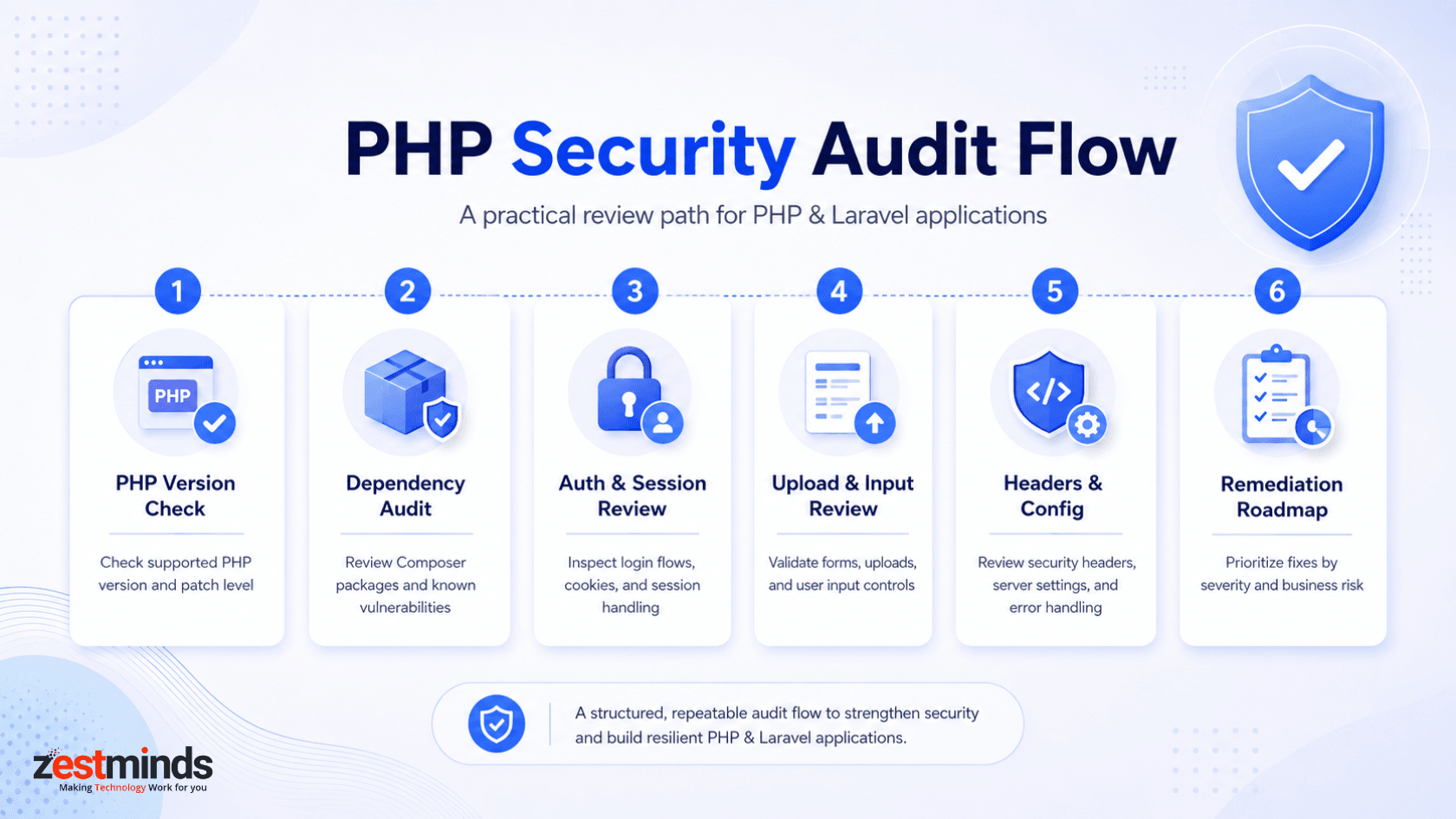
A PHP security audit should not be limited to running a scanner. It should review the application from code, configuration, dependency, infrastructure, and business-risk angles.
Use this audit checklist for existing PHP and Laravel applications:
- Check PHP version: Confirm the application is not running on an outdated or unsupported PHP version.
- Review Composer dependencies: Identify vulnerable, abandoned, or unnecessary packages.
- Scan for exposed secrets: Check repositories, config files, logs, and environment handling.
- Review authentication: Inspect login, password reset, MFA, account lockout, and admin access flows.
- Review authorization: Confirm users cannot access data or actions outside their role.
- Review session handling: Check cookie settings, session regeneration, expiry, and logout behavior.
- Review database queries: Look for unsafe raw SQL, missing parameter binding, and excessive database privileges.
- Review file uploads: Check file validation, storage paths, execution permissions, and access control.
- Review forms and APIs: Check input validation, CSRF protection, rate limits, and error responses.
- Review security headers: Confirm headers are configured and tested safely.
- Review error handling: Make sure production errors do not expose stack traces, paths, secrets, or SQL details.
- Review logging: Confirm important events are logged without storing sensitive data unnecessarily.
- Prioritize remediation: Separate urgent risks from improvements that can be planned later.
If the audit finds repeated security issues in older code, the next step may not always be a full rebuild. Sometimes the safer path is to refactor insecure PHP codebases in stages while keeping the application stable.
When Should You Get a PHP Security Review?
You do not need to wait for a breach, client complaint, or failed audit to review a PHP application. A focused review is useful when security risk starts affecting release confidence, customer trust, or maintainability.
Consider a PHP security review when:
- Your application handles customer, payment, healthcare, HR, legal, or business-sensitive data.
- Your app accepts file uploads or user-generated content.
- Your system has a custom login, admin panel, or role-based dashboard.
- Your PHP version or Composer packages are outdated.
- Your team inherited legacy PHP code without clear documentation.
- You are preparing for a major release, migration, funding round, or enterprise client review.
- You have frequent bugs around permissions, sessions, forms, or data access.
- You need a remediation roadmap instead of random patching.
For teams that need expert help, Zestminds provides secure PHP development services for building, reviewing, hardening, and maintaining PHP applications.
What This Means for CTOs and Tech Leads
For a CTO or tech lead, PHP security is not only a developer checklist. It is a risk prioritization exercise. You need to know which issues can expose users, which issues can block enterprise deals, which issues can wait, and which issues should be fixed before the next release.
A practical security review should produce clear findings, severity levels, affected areas, recommended fixes, and ownership. That makes it easier to plan engineering work instead of turning security into panic-driven patching.
If you want to see how we approach production-grade engineering work, you can review our PHP and Laravel project examples.
Frequently Asked Questions
What are the most important PHP security best practices in 2026?
The most important PHP security practices include input validation, prepared statements, output escaping, CSRF protection, secure sessions, password hashing, safe file uploads, security headers, dependency checks, and regular code reviews.
How do you conduct a PHP security audit?
A PHP security audit should check PHP version, Composer dependencies, authentication, sessions, database queries, file uploads, error handling, security headers, server permissions, and risky custom code. Findings should be prioritized by business risk.
How can I secure PHP sessions?
Use secure session cookies, enable HttpOnly, Secure, and SameSite, regenerate session IDs after login, set session expiry, destroy sessions on logout, and avoid storing sensitive data directly in sessions.
How do you secure file uploads in PHP?
Use extension allowlists, verify MIME types server-side, limit file size, rename files, store uploads outside the web root, block script execution in upload folders, and scan files when the app handles sensitive data.
How can I prevent SQL injection in PHP?
Use prepared statements with PDO or MySQLi, bind user input as parameters, avoid string-concatenated SQL queries, validate incoming data, and use least-privilege database users for production applications.
Which security headers should a PHP application use?
Common headers include Content Security Policy, HSTS, X-Frame-Options, X-Content-Type-Options, Referrer-Policy, and Permissions-Policy. These help reduce XSS, clickjacking, MIME sniffing, and data leakage risks.
Is Laravel more secure than custom PHP?
Laravel provides built-in protections for CSRF, routing, validation, authentication, and database access. But it is not automatically secure. Poor configuration, raw queries, exposed debug mode, and weak file handling can still create risk.
Need Help Reviewing a PHP or Laravel Application?
If your PHP or Laravel application is business-critical, outdated, file-heavy, or difficult to maintain, a structured security review can help you understand what needs immediate attention and what can be improved over time.
Zestminds can help review risky code paths, outdated dependencies, authentication flows, session handling, file uploads, admin panels, and remediation priorities without pushing unnecessary rebuilds.
Table of Contents
- Why PHP Security Still Matters in 2026
- Quick PHP Security Checklist for 2026
- Top PHP Vulnerabilities and How to Mitigate Them
- PHP Session Security Best Practices
- Secure File Upload Checklist in PHP
- PHP Security Headers to Configure
- Best Tools for PHP Security Checks
- Native PHP vs Laravel Security
- PHP Security Audit Checklist for Existing Applications
- When Should You Get a PHP Security Review?
- Frequently Asked Questions
Rajat Sharma
Before You Scale Further, Review the Architecture.
Let’s evaluate where your system stands — and where it may break under growth.
Schedule an Architecture Review 30-minute technical discussion. No obligation.