
AI Workflow Automation Guide for Real Business Operations
AI workflow automation sounds simple until it touches real business systems.
Connecting an AI model to a form, CRM, spreadsheet, document, support inbox, or chatbot is not the hard part. The real challenge is designing a workflow that understands context, handles exceptions, protects data, keeps humans involved where needed, and works reliably after the demo is over.
This guide is for founders, CTOs, operations leaders, product teams, and business owners who want to understand where AI workflow automation makes sense, where it can fail, what tools are involved, and how to build systems that are useful in real operations.
If you are already planning an AI workflow for your business, you can explore our AI workflow automation services to see how Zestminds designs and builds production-ready AI-assisted workflows.

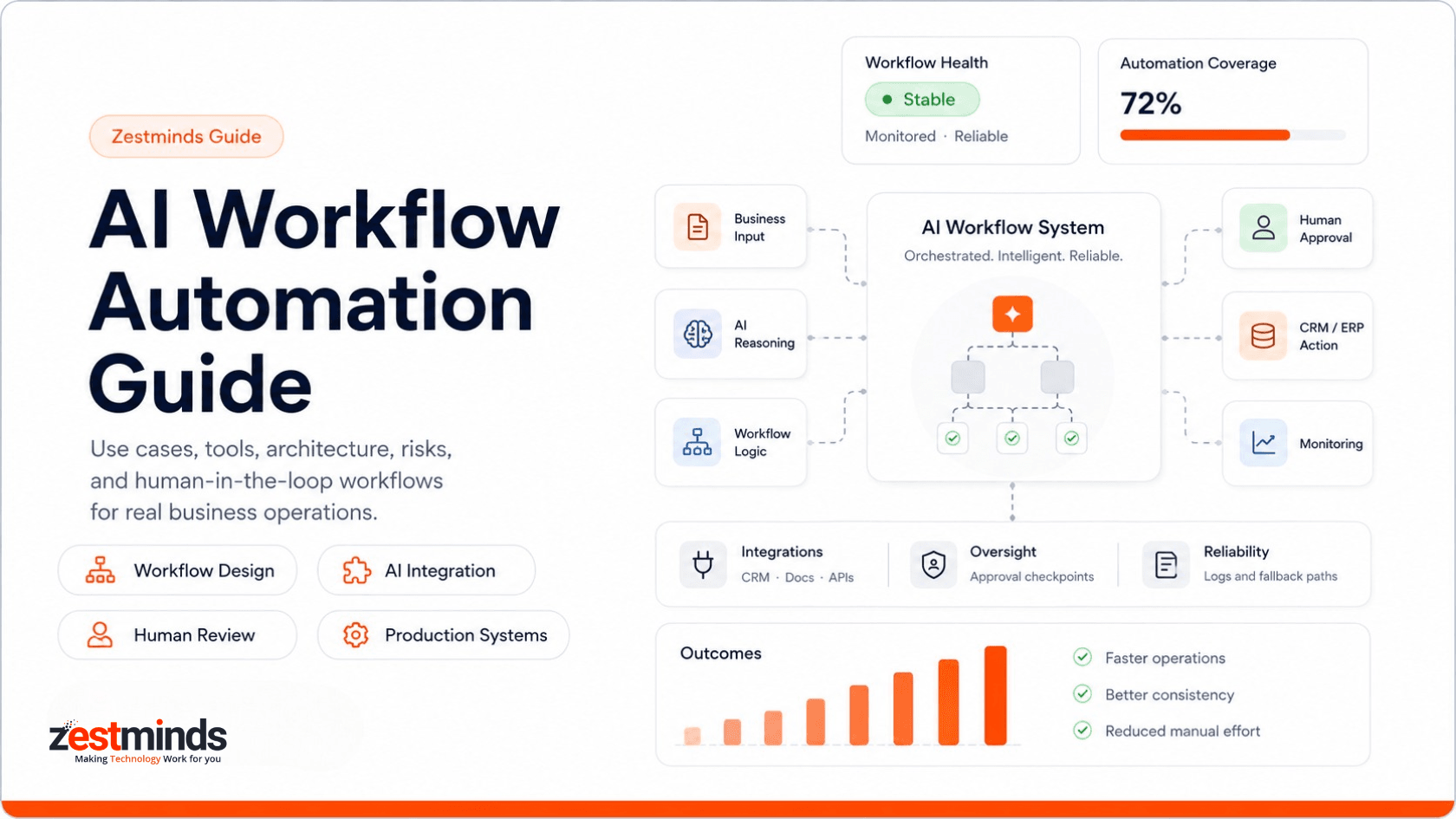
Quick Answer
AI workflow automation uses AI models, workflow logic, integrations, business rules, and human review steps to automate parts of a business process.
It works best when the workflow is repetitive, data is available, decisions follow patterns, and humans can review exceptions before important actions are taken.
- Best for: support workflows, CRM updates, document processing, reporting, content operations, internal tools, and SaaS product workflows.
- Not ideal for: unclear processes, poor data, high-risk decisions without review, or workflows where accountability cannot be delegated.
- Common stack: OpenAI or other LLM APIs, FastAPI, LangGraph, n8n, Zapier, CRMs, databases, dashboards, and monitoring tools.
- Main value: reduce manual work, speed up operations, improve consistency, and keep humans focused on judgment-heavy work.
- Production need: reliable AI workflows also need approval rules, validation, logs, access control, fallback paths, and monitoring.
Who This Guide Is For
This guide is useful if you are exploring AI automation but want to avoid fragile, tool-only workflows that break when the process becomes real.
- You want to automate internal business operations.
- You want AI connected with your CRM, ERP, SaaS platform, database, or internal tools.
- You are comparing Zapier, n8n, LangGraph, OpenAI, Make, or custom development.
- You need an AI workflow that includes approvals, logs, and human review.
- You are building AI features inside an existing product.
- You are handling private business data, customer records, documents, or compliance-sensitive workflows.
- You want production reliability, not just a working demo.
What Is AI Workflow Automation?
AI workflow automation means using AI to assist, route, summarize, classify, generate, extract, or decide parts of a business process.
But a reliable workflow is not only an AI model. It usually includes inputs, data sources, business rules, integrations, approval steps, error handling, logs, and monitoring.
For example, an AI workflow could read a customer support ticket, classify the issue, check the customer record, suggest a reply, route it to the right team, and ask a human to approve the response before it is sent.
Another workflow could read a lead form, summarize the buyer intent, check an existing CRM record, suggest a sales priority, and create a follow-up task for a sales manager.
That is very different from a simple chatbot or one-off prompt. It is closer to AI automation for business processes, where the goal is to improve real workflows instead of only generating text.
Good AI workflow automation does not replace the whole business process. It improves the parts where AI can reduce repetitive work, speed up decisions, and support human judgment.
If you want broader examples beyond workflows, our guide on generative AI applications explains how businesses use generative AI across products, operations, content, support, and internal systems.
At Zestminds, we treat AI automation as a software engineering problem, not just a prompt or tool setup problem. The focus should be on workflows, integrations, backend logic, human review, and production reliability.
AI Workflow Automation vs Traditional Automation vs AI Agents
Many people use the terms automation, AI automation, and AI agents interchangeably. They overlap, but they are not the same.
| Model | Best For | Main Limitation |
|---|---|---|
| Traditional Automation | Rule-based tasks such as copying data, sending alerts, or triggering emails | Breaks when the decision requires context, language understanding, or judgment |
| AI Workflow Automation | Semi-structured workflows where AI can classify, extract, summarize, draft, or assist decisions | Needs clear controls, review paths, validation, and quality checks |
| AI Agents | Multi-step tasks where AI can plan, call tools, and move between actions | Higher risk if permissions, guardrails, and human oversight are weak |
| Custom AI Systems | Complex workflows inside products, dashboards, CRMs, SaaS platforms, or internal tools | Needs proper engineering, testing, monitoring, and long-term ownership |
If you are exploring agentic workflows, our article on how to build an AI agent can help you understand where agents fit and where simpler workflow automation may be safer.
Where AI Workflow Automation Works Best
AI workflows are strongest when the process has repeated patterns, clear inputs, measurable output, and enough human review to control risk.
The goal is not to automate everything. The goal is to remove avoidable manual effort from workflows where AI can add real operational value.
| Workflow Area | Example | AI Role | Business Value |
|---|---|---|---|
| Customer Support | Classify tickets, draft replies, route issues, summarize customer history | Understand intent and suggest next actions | Faster response, better routing, less repetitive support work |
| Sales Operations | Score leads, update CRM records, summarize calls, draft follow-ups | Reduce admin work and prioritize opportunities | Cleaner CRM data, faster follow-up, better sales focus |
| Document Processing | Extract details from PDFs, invoices, forms, contracts, or applications | Read, structure, validate, and flag missing information | Less manual review and faster document handling |
| Marketing Operations | Create briefs, repurpose content, prepare campaign drafts, organize workflows | Assist production while keeping human review in place | Faster content operations without removing editorial control |
| HR and Recruitment | Summarize resumes, classify candidates, prepare interview notes | Reduce repetitive review and support decision-making | Shorter screening cycles and more consistent candidate review |
| Finance and Admin | Prepare reports, compare records, flag exceptions, summarize transactions | Extract, compare, and highlight items needing review | Less manual reporting and better exception visibility |
| SaaS Product Workflows | Add AI-assisted actions inside dashboards, portals, or user workflows | Improve user experience with contextual automation | More useful product experiences and smarter user workflows |
For broader AI product work, you can explore our AI development services. For LLM-based products, assistants, and custom GPT-style systems, see our generative AI solutions. If AI workflows are part of a SaaS platform, our SaaS product development experience may also be relevant.
AI CRM Workflow Automation Examples
CRM workflows are a strong fit for AI because sales and customer teams often deal with repeated inputs, unstructured notes, emails, lead forms, calls, and follow-up tasks.
AI can help CRM workflows without taking full control of sales decisions.
| CRM Workflow | What AI Can Do | Where Human Review Helps |
|---|---|---|
| Lead Qualification | Read lead details, summarize intent, detect urgency, and suggest priority | High-value leads, unclear requirements, or strategic accounts |
| CRM Updates | Suggest fields, next steps, tags, source notes, and account summaries | Before changing important customer or deal records |
| Follow-Up Drafting | Prepare personalized email drafts based on conversation history | Before sending anything to a prospect or customer |
| Deal Risk Alerts | Flag missing follow-ups, long delays, poor engagement, or unclear next steps | Before escalating or changing sales priority |
| Sales Task Creation | Create tasks, reminders, and internal notes from lead or call data | When the task affects ownership, timing, or customer expectations |
The safest CRM workflows usually keep AI in an assistant role. AI can summarize, classify, draft, and suggest. A salesperson or manager should still review high-value opportunities and customer-facing messages.
AI Document Workflow Automation Example
Document workflows are another strong use case for AI workflow automation because many businesses still spend hours reading, checking, and copying information from PDFs, forms, invoices, applications, contracts, and reports.
A practical AI document workflow could look like this:
Document Uploaded → Text Extraction → AI Classification → Field Extraction → Validation Rules → Human Review → CRM, ERP, or Accounting Update → Audit Log
AI can help extract names, dates, amounts, document types, missing fields, categories, and summary notes. But the workflow should still include validation rules and human review when the output affects billing, approval, compliance, customer records, or operational decisions.
This is where the difference between a simple AI demo and a reliable workflow becomes clear. The model may read the document, but the system around it must decide what happens when data is missing, confidence is low, or a reviewer disagrees with the AI output.
Where AI Automation Should Not Be Used Blindly
AI workflow automation is not suitable for every process. Some workflows need better documentation, cleaner data, or stronger human control before AI should be involved.
Be careful when:
- The workflow is not clearly defined.
- Data is incomplete, outdated, or inconsistent.
- The output cannot be verified easily.
- The decision has legal, financial, medical, or compliance impact.
- No one owns the quality of the workflow.
- The business expects AI to be fully autonomous from day one.
- There is no fallback when AI is uncertain or wrong.
- The workflow touches private customer data or sensitive internal records without clear access controls.
The safest first AI workflows are not usually the most ambitious ones. They are the ones where the input is clear, the output is useful, and humans can review exceptions.
For production-focused patterns, our guide on scalable AI workflows explains how reliability, observability, and workflow controls matter once AI moves beyond experiments.
Typical AI Workflow Architecture
A reliable AI workflow usually has more moving parts than a prompt connected to an app.
A practical architecture often looks like this:
Input → Data Source → AI Model → Workflow Logic → Human Review → System Action → Logs and Monitoring
Each part has a job.
| Component | What It Does |
|---|---|
| Input Layer | Collects data from forms, emails, documents, tickets, chats, dashboards, or APIs. |
| Data Source | Connects to CRM, ERP, database, file storage, knowledge base, or SaaS platform data. |
| AI Layer | Classifies, extracts, summarizes, drafts, reasons, or suggests next steps. |
| Workflow Logic | Applies business rules, conditions, routing, scoring, confidence thresholds, and fallback paths. |
| Human Review | Lets a person approve, reject, edit, or escalate AI output before important actions. |
| Integration Layer | Updates CRM records, sends emails, creates tasks, triggers notifications, or calls APIs. |
| Logs and Monitoring | Tracks workflow activity, errors, model output, approvals, retries, and performance over time. |
For technical teams, our guide on how to build AI workflows with FastAPI and LangGraph goes deeper into backend and orchestration patterns.
If your workflow needs a custom backend, API layer, or production service, our FastAPI development services and platform engineering services may also be relevant.
A good example of this hybrid approach is a workflow that uses Make for orchestration, FastAPI for custom business logic, and monday CRM for sales operations. You can review our Make, FastAPI, and monday CRM AI workflow case study to see how tool-based automation and custom engineering can work together.
Tools and Technology Options
The right AI workflow stack depends on complexity, risk, integrations, volume, and how much control you need.
Simple workflows may work well with automation platforms. Complex workflows often need custom backend logic, approval interfaces, monitoring, and deeper system integration.
| Tool or Stack | Best For | When It May Not Be Enough |
|---|---|---|
| Zapier | Simple app-to-app workflows, notifications, and lightweight automations | Complex logic, custom approval flows, backend-heavy workflows, or strict reliability needs |
| Make | Visual automation flows with app integrations and conditional paths | Advanced validation, custom dashboards, complex backend rules, or sensitive data workflows |
| n8n | Flexible workflow automation with more technical control and custom nodes | Still needs engineering discipline for security, testing, scaling, and complex business logic |
| OpenAI or LLM APIs | Classification, extraction, summarization, drafting, reasoning assistance, and AI features | Needs workflow design, guardrails, evaluation, and integration with real systems |
| LangGraph | Multi-step AI workflows, stateful agents, human review, and tool-based flows | Requires backend engineering and careful workflow design |
| FastAPI | Custom APIs, AI workflow backends, internal tools, and production AI services | Needs experienced Python backend engineering and deployment support |
| Vector Databases | Retrieval workflows, knowledge search, document intelligence, and RAG systems | Needs data preparation, evaluation, chunking strategy, and quality checks |
| Custom Dashboards | Human review, approvals, monitoring, reporting, and workflow visibility | Needs UI/UX and product engineering |
For tool comparisons, you can read our articles on AI tools for business workflow automation and AI automation tools.
If you are starting with low-code or no-code workflows, our article on internal AI tools using Zapier and OpenAI may be a useful starting point.
No-Code vs Custom AI Workflow Automation
Many businesses start with no-code or low-code tools because they are fast to test. That is a good starting point when the workflow is simple, low-risk, and does not need heavy custom logic.
But as workflows become more important, the system usually needs stronger control: validation rules, retries, permissions, review dashboards, logs, secure API handling, and custom business logic.
| Approach | Best For | Move Custom When |
|---|---|---|
| Zapier or Make | Simple app connections, alerts, lead routing, and lightweight summaries | The workflow needs approvals, retries, complex logic, or sensitive data handling |
| n8n | More technical workflow control, self-hosted options, and API-based flows | The workflow needs stronger engineering discipline, monitoring, and security review |
| FastAPI or Custom Backend | Custom APIs, AI orchestration, validation, model routing, and business rules | The workflow is central to operations, revenue, compliance, or product experience |
| Custom Dashboard | Human review, approvals, reporting, audit trails, and workflow visibility | Teams need to review, correct, approve, or monitor AI output before actions happen |
No-code tools are useful for early experiments. Custom software development becomes important when the workflow needs reliability, ownership, security, and long-term maintainability.
Human-in-the-Loop Automation
Most business AI workflows should not become fully autonomous on day one.
Human-in-the-loop automation means AI can prepare, recommend, summarize, or route work, but a person stays involved for important decisions.
This is especially useful when workflows involve customers, money, sensitive data, legal language, operations, or compliance-sensitive actions.
| Workflow Step | AI Can Help With | Human Should Review When |
|---|---|---|
| Customer Response | Drafting replies, summarizing history, suggesting next steps | The message affects customer trust, refunds, complaints, or sensitive issues |
| Document Extraction | Reading forms, invoices, PDFs, or applications | The extracted information affects billing, approval, or compliance |
| Lead Qualification | Scoring and summarizing lead details | The lead is high-value or needs strategic sales judgment |
| Internal Reporting | Preparing summaries, charts, or performance notes | The report will be used for business decisions |
| Workflow Actions | Creating tasks, updating records, triggering notifications | The action changes important system data or customer communication |
Human review can be designed in different ways. Some workflows need approval before every action. Others can use confidence thresholds, review queues, escalation rules, or sampling checks.
- Approval gate: AI output waits for a person before it changes a record or sends a message.
- Confidence threshold: Low-confidence output goes to review, while safe low-risk output moves forward.
- Escalation rule: High-value, sensitive, or unusual cases go to a manager or specialist.
- Audit trail: The workflow stores what AI suggested, what humans changed, and what action was taken.
The best AI automation systems do not remove humans from every step. They remove repetitive work and keep humans involved where judgment matters.
AI Workflow Governance and Standardization
As AI usage grows inside a business, the risk is not only wrong output. The bigger risk is ungoverned AI workflows where different teams build automations without shared rules, monitoring, or ownership.
AI workflow standardization helps teams make automation repeatable, reviewable, and easier to improve over time.
| Governance Area | What to Define |
|---|---|
| Workflow Ownership | Who owns the workflow, reviews quality, approves changes, and handles failures. |
| Prompt and Logic Versioning | How prompts, rules, model settings, and workflow logic are tracked over time. |
| Validation Rules | What fields, formats, thresholds, and business rules must be checked before action. |
| Approval Rules | Which actions need human approval, escalation, or manual override. |
| Monitoring | How errors, failures, model output, usage, cost, and user actions are tracked. |
| Fallback Paths | What happens when AI is uncertain, data is missing, an API fails, or a reviewer rejects output. |
Standardization does not mean every workflow should be rigid. It means the business should know how AI workflows are designed, tested, reviewed, changed, and monitored.
Secure AI Workflows for Internal Tools
AI workflows often connect with internal systems such as CRMs, ERPs, databases, support tools, reporting dashboards, document stores, and email systems. That makes security and access control important from the start.
A secure internal AI workflow should consider:
- Access control: Only the right users and systems should access the workflow.
- Permission boundaries: AI should not be able to perform actions beyond its approved role.
- API key protection: Credentials should not be exposed in prompts, client-side code, or insecure logs.
- Sensitive data handling: Customer records, financial data, health data, contracts, and private documents need careful processing.
- Vendor and model policies: Teams should understand how third-party AI tools handle data.
- Audit logs: Important workflow events, approvals, rejections, and system actions should be traceable.
- Human approval: Sensitive updates, external messages, payments, approvals, or compliance-related actions should not run blindly.
Security does not need to make the workflow slow. It needs to make the workflow controlled. The goal is to give AI the right amount of access, not unlimited access.
Common AI Workflow Risks
AI workflow automation can create real value, but it also introduces new risks if the system is designed carelessly.
| Risk | Why It Matters | How to Reduce It |
|---|---|---|
| Incorrect AI Output | The model may generate a confident but wrong answer. | Add review steps, validation rules, confidence checks, and fallback paths. |
| Poor Data Quality | Bad or incomplete inputs create unreliable workflow decisions. | Clean data sources, define required fields, and validate inputs before AI processing. |
| No Approval Flow | AI may trigger actions that should have human oversight. | Add human review before external communication or high-risk updates. |
| No Observability | Failures become hard to debug or even invisible. | Track logs, errors, workflow states, model outputs, approvals, retries, and user actions. |
| Ungoverned Workflows | Different teams may build AI automations without shared standards or ownership. | Define workflow owners, change rules, approval paths, and monitoring practices. |
| Tool Dependency | A simple automation platform may hit limits as the workflow grows. | Use custom backend logic when workflows need stronger control. |
| Privacy and Security Issues | Sensitive business or customer data may be exposed or mishandled. | Control data access, limit exposure, protect credentials, and review vendor policies. |
| Cost Spikes | LLM usage can increase quickly with volume or inefficient prompts. | Track usage, optimize prompts, cache where appropriate, and monitor model calls. |
For teams building production AI systems, platform engineering services can help with deployment, observability, scaling, monitoring, and operational reliability.
Cost and Timeline Factors
The cost of AI workflow automation depends on the workflow, not just the AI model.
A simple internal workflow may be built quickly. A production workflow that connects multiple systems, handles exceptions, includes human approvals, and supports reporting will need more engineering.
| Factor | Impact on Cost and Timeline |
|---|---|
| Workflow Complexity | More steps, branches, approvals, and exceptions increase planning and development effort. |
| Number of Integrations | CRMs, ERPs, databases, support tools, and APIs add setup and testing time. |
| Data Readiness | Messy data requires cleanup, normalization, and validation before automation can work well. |
| AI Model Requirements | Classification, extraction, reasoning, RAG, or agentic workflows need different implementation patterns. |
| Human Review UI | Approval dashboards, review screens, and audit trails require product engineering. |
| Security and Privacy | Role-based access, data protection, and compliance needs add design and implementation effort. |
| Monitoring and Maintenance | Production workflows need logs, alerts, usage tracking, and ongoing optimization. |
A simple way to think about scope:
| Workflow Type | Typical Scope | Complexity |
|---|---|---|
| Simple Internal Workflow | Form, email, or spreadsheet input with AI summary and basic notification | Low |
| Review-Based Workflow | AI output, human approval, CRM or tool update, and basic logging | Medium |
| Production Workflow | Multiple integrations, custom backend logic, review dashboard, security, monitoring, and fallback handling | High |
If you are planning an AI product or prototype, our article on AI MVP development cost explains related cost and timeline considerations.
How to Choose Your First AI Workflow
The first workflow should be useful, measurable, and low enough risk to test safely.
A good first workflow usually has:
- Clear input and output
- High manual effort
- Repeated pattern
- Easy human review
- Measurable time savings
- Low-to-medium business risk
- Enough examples to test against
| Good First Workflow | Why It Works Well |
|---|---|
| Lead Qualification Summary | Clear input, useful output, easy sales review, and measurable time savings. |
| Support Ticket Classification | Repetitive, high-volume, and easy to compare against manual tagging. |
| Document Extraction with Review | High manual effort, clear review path, and strong operational value. |
| Internal Report Generation | Saves time without immediately exposing AI output to customers. |
| CRM Update Assistant | Reduces admin work while keeping humans in control of important changes. |
Do not start with the most complex workflow. Start with a workflow that can prove value safely, then expand after you understand the real data, edge cases, and review needs.
Practical AI Workflow Implementation Example
Here is a simple example of how an AI workflow can move from input to action while keeping a person involved.
Example: Lead Form to CRM Update Workflow
- Trigger: A lead form is submitted from the website.
- Data check: The workflow checks required fields such as name, email, company, budget, service interest, and message.
- AI classification: AI classifies the lead intent, urgency, project type, and possible fit.
- CRM lookup: The system checks whether the lead or company already exists in the CRM.
- AI summary: AI prepares a short summary for the sales team.
- Human review: High-value or unclear leads are sent for manual review before follow-up.
- System action: The CRM is updated, a sales task is created, and an internal alert is sent.
- Logging: The workflow stores the AI output, review action, CRM update, and any errors.
This kind of workflow is useful because it saves admin time without allowing AI to control the full sales process. The system assists the team, but humans still handle judgment-heavy decisions.
AI Workflow Automation Implementation Roadmap
A reliable AI workflow should be planned, tested, deployed, and improved like any serious software system.
- Discover the workflow: Map the current process, bottlenecks, manual effort, and business goal.
- Define AI's role: Decide whether AI should classify, extract, summarize, draft, recommend, or trigger actions.
- Map data sources: Identify CRMs, databases, documents, APIs, tools, and user inputs involved.
- Design human review: Decide which outputs need approval, editing, rejection, or escalation.
- Build a prototype: Test the workflow with real examples before scaling.
- Add integrations: Connect the workflow with business systems, dashboards, or internal tools.
- Test edge cases: Check uncertain inputs, wrong data, missing fields, and unexpected outputs.
- Deploy with monitoring: Track logs, errors, model usage, approvals, and business outcomes.
- Improve over time: Use real workflow data to improve prompts, logic, review rules, and automation scope.
You can also review our how we work page to understand how Zestminds approaches discovery, planning, build, validation, release, and improvement.
AI Workflow Implementation Checklist
Before building an AI workflow, it helps to answer a few practical questions. This prevents the project from becoming a cool demo that nobody can safely use.
- Workflow owner: Who owns the process and approves changes?
- Business goal: What manual effort, delay, error, or bottleneck should the workflow reduce?
- Input source: Where does the workflow start: form, email, document, CRM, API, chat, or database?
- Expected output: Should AI classify, extract, summarize, draft, score, recommend, or route?
- Data readiness: Is the source data clean, complete, and available through API or export?
- Review rule: Which outputs need human approval before action?
- Integration access: Which systems need to be updated or notified?
- Risk level: Does the workflow affect customers, money, legal language, private data, or compliance?
- Fallback path: What happens when AI is unsure, data is missing, or an API fails?
- Success metric: How will you measure value: time saved, fewer errors, faster response, cleaner records, or lower manual workload?
Planning tip: If you are unsure which workflow to automate first, start by mapping the manual process, data sources, review points, and risk level. That usually reveals the safest first AI automation opportunity.
You can explore AI workflow implementation support if you need help turning a workflow idea into a production-ready system.
Relevant Zestminds Case Studies
Case studies matter because AI automation is easy to discuss and harder to implement. Real examples show how a team thinks through workflows, integrations, product constraints, review logic, and delivery.
| Case Study | Workflow Type | Why It Is Relevant |
|---|---|---|
| real estate AI lead qualification automation case study | Lead qualification and CRM workflow | Relevant for sales workflows, lead scoring, CRM updates, and review-based prioritization. |
| AI support triage automation case study | Customer support workflow | Useful for ticket classification, routing, customer context summaries, and support team efficiency. |
| AI document processing automation case study | Document processing workflow | Relevant for extracting, validating, reviewing, and structuring information from documents. |
| AI voice agent automation case study | Voice and agent-assisted workflow | Useful for understanding where voice AI, agentic flows, and human handoff can support operations. |
| AI reporting automation case study | Internal reporting workflow | Relevant for automating reports, summaries, monitoring workflows, and business decision support. |
| Make, FastAPI, and monday CRM AI workflow case study | Hybrid automation and CRM workflow | Shows how no-code orchestration, custom backend logic, and CRM integration can work together. |
You can explore more work in our software development case studies or review client testimonials to understand how clients evaluate our delivery approach.
How Zestminds Builds AI Workflow Automation Systems
Zestminds builds AI workflows as production systems, not one-off demos.
Our work usually starts with understanding the business process, identifying where AI can help, and deciding where humans should remain involved.
A practical build process usually includes:
- Workflow discovery: Understand the current process, manual effort, bottlenecks, and business goal.
- AI role definition: Decide whether AI should classify, extract, summarize, draft, score, recommend, or route.
- Risk mapping: Identify where the workflow touches customers, money, private data, legal language, or compliance-sensitive records.
- Architecture planning: Choose the right mix of LLM APIs, backend logic, workflow tools, dashboards, databases, and integrations.
- Human review design: Define approval gates, review queues, escalation rules, and manual override paths.
- Prototype and validation: Test with real examples before scaling the workflow.
- Integration and deployment: Connect CRMs, ERPs, databases, internal tools, APIs, notifications, or SaaS platforms.
- Monitoring and improvement: Track errors, usage, approvals, model output, cost, and business outcomes after launch.
The goal is not to add AI everywhere. The goal is to design workflows where AI improves speed, consistency, and decision support without creating new operational risk.
If you are unsure which workflow to automate first, start by mapping the manual process, business value, data quality, and review risk. That usually reveals the safest first AI automation opportunity.
You can explore our AI workflow automation services or discuss your AI workflow with our team.
FAQs
What is AI workflow automation?
AI workflow automation uses AI models, business rules, integrations, and human review steps to automate parts of a business process. It can help classify data, summarize information, extract details, draft responses, route tasks, or support decisions.
How is AI workflow automation different from traditional automation?
Traditional automation follows fixed rules. AI workflow automation can handle language, documents, context, summaries, classifications, and semi-structured decisions. It still needs review paths, validation, logs, and fallback rules.
What business workflows can AI automate?
AI can support customer support, sales operations, CRM updates, document processing, internal reporting, marketing workflows, HR review, finance admin, and SaaS product workflows. The best use cases are repetitive, measurable, and easy to review.
How does AI automate document workflows?
AI can read documents, extract key fields, classify document types, validate missing information, and send structured data to a CRM, ERP, accounting system, or review dashboard. Human review is still important when the output affects billing, approval, compliance, or customer records.
How can AI improve CRM workflows in real use?
AI can summarize leads, score intent, update CRM fields, draft follow-ups, create sales tasks, detect missing information, and route opportunities to the right person. High-value leads or customer-facing messages should usually stay under human review.
What makes an AI workflow secure for internal tools?
A secure AI workflow should control user access, protect API keys, limit sensitive data exposure, log workflow activity, define approval rules, and check how third-party AI tools handle business data. Sensitive actions should not run fully unattended.
Is Zapier or n8n enough for AI workflow automation?
Zapier or n8n can work for simple workflows such as alerts, app connections, and lightweight AI summaries. Custom backend development is usually better when the workflow needs complex logic, approvals, sensitive data handling, retries, audit logs, dashboards, or production reliability.
What is the safest first AI workflow to automate?
The safest first workflow is repetitive, low-to-medium risk, measurable, and easy for a human to review. Good examples include lead qualification summaries, support ticket classification, document extraction with review, CRM update assistance, and internal report generation.
Table of Contents
- What is AI workflow automation?
- AI workflow automation vs traditional automation vs AI agents
- Where AI workflow automation works best
- AI CRM workflow automation examples
- AI document workflow automation example
- Where AI automation should not be used blindly
- Typical AI workflow architecture
- Tools and technology options
- No-code vs custom AI workflow automation
- Human-in-the-loop automation
- AI workflow governance and standardization
- Secure AI workflows for internal tools
- Common AI workflow risks
- Cost and timeline factors
- How to choose your first AI workflow
- Practical AI workflow implementation example
- AI workflow automation implementation roadmap
- AI workflow implementation checklist
- Relevant case studies
- How Zestminds builds AI workflow automation systems
- FAQs